Motion Tracking User Interface
In the 20-page filing published this week, Apple notes that input devices for computer systems commonly include a mouse, a keyboard, a stylus, a track ball, and so forth, in which each of those input devices requires a user's spare hand to operate. But in some cases, it may be more efficient for both of the user's hands to remain free to type, which inconveniently interrupts manipulation of other input devices.
The Mac maker's proposed solution to this problem is fairly straightforward conceptually, but may prove incredibly challenging to implement with precision. Specifically, it calls for a Mac's built-in iSight camera to continuously monitor a user's body motions, which could then be translated into commands for selecting windows or user interface elements, manipulating 3D objects, and shifting focus from one object to another on a computer display.
Selection of a Target-Zone
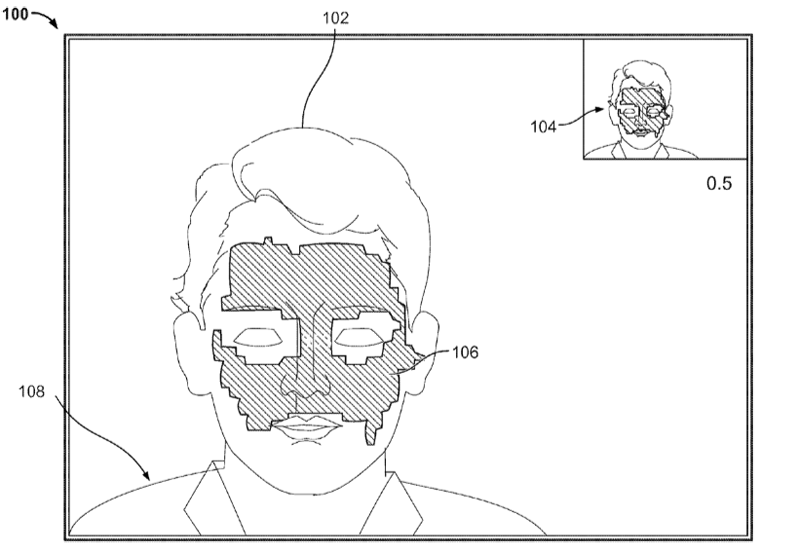
In order to increase the accuracy of the iSight's motion tracking, Apple explains that users would be able to calibrate the technology by selecting a "target zone" on the body part or object that would be put under constant surveillance. For instance, if the body part was the users head, the focal point could be the portion of the user's face surrounding his or her eyes. Given an object, such as a pen, the focal point could instead be the pen's cap.
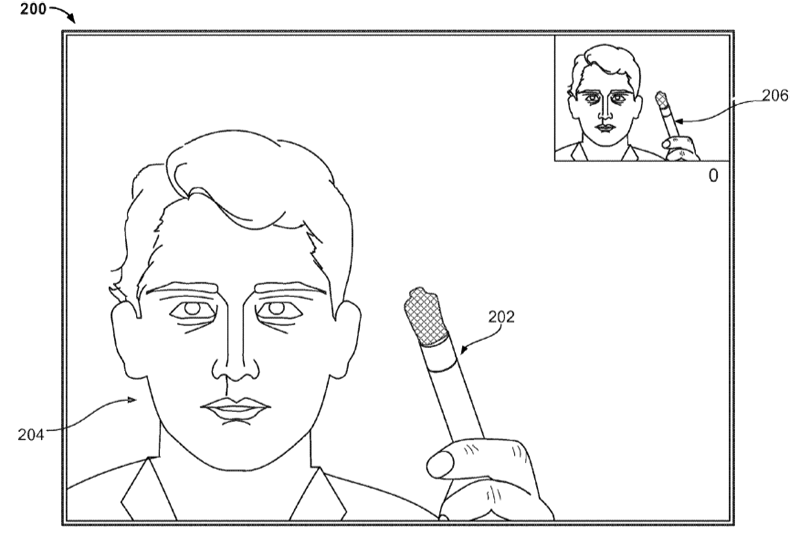
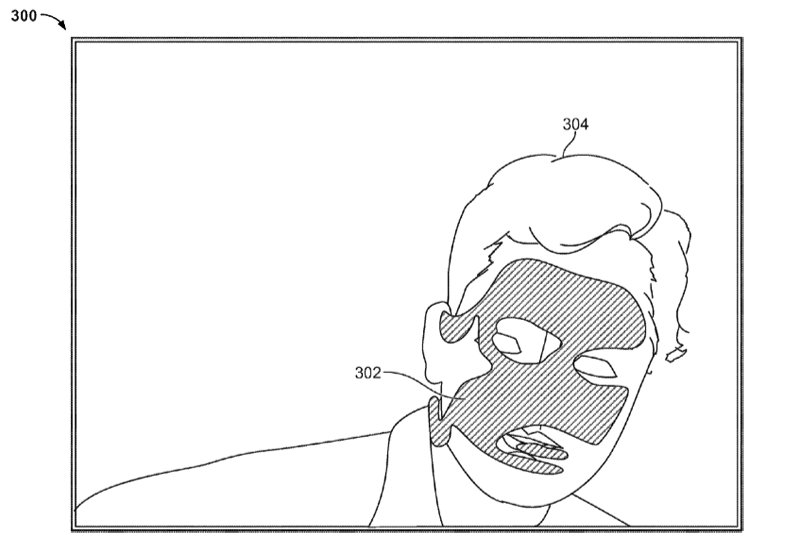
However, "in some implementations, selecting a target zone to be tracked by physical clicking is not necessary," Apple notes. "For example, optical flow information can be used to automatically detect a moving object without additional effort by a user to select a target zone to be tracked."
Focus Transition of a Display
The illustration below presents an example of an iSight following a user's face in which a pointer is displayed on the computer screen to correspond to the window in which the user is focusing his or her attention.
"[The iSight] can detect the movement of the human head or other objects, and in turn place the pointer on the window intended by the user to be focused on," Apple says. "For example, starting from a point in [one] window, if the human head moves from upper left to lower right, the pointer will move correspondingly from upper left to lower right and then bring [a new] window [into] to focus. When the [new] window is in focus, the [previous] window will be automatically raised to the top of all the windows such that the user can clearly see the current focus of the display."
After the user selects one of the multiple windows shown on the display, the he or she could start to hover the pointer within the selected window by slowly moving his or her head over relatively short distances.
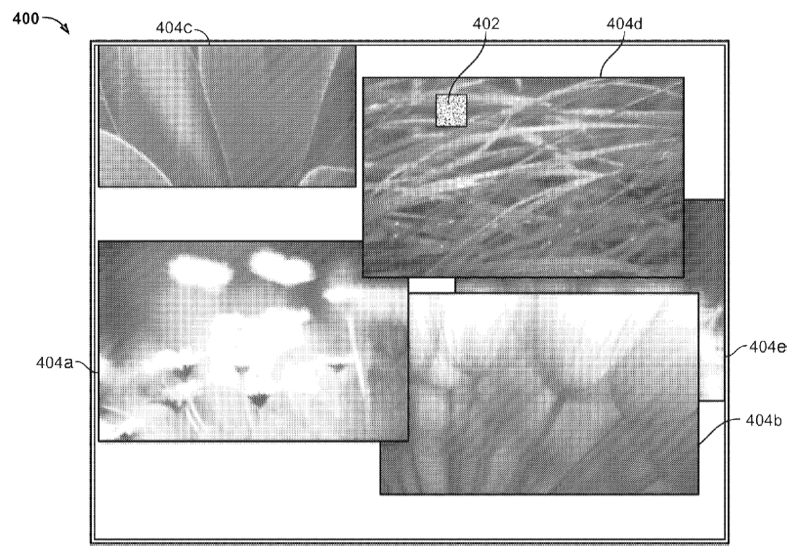
If the window show on the computer screen includes an editor or a browser, a user could also scroll a digital file presented by the editor or the browser in different directions such as up, down, left, and right simply by moving his head or the other object.
"For example, say there is a five-page file presented by a word processor on a display, and only the first page is shown within the workspace of the word processor. If the user would like to see the last page of the file, he could simply move his head down to scroll the digital file down to the last page," Apple says. :Optionally, he could flip the digital file page-by-page by slightly moving his head down over a relatively short distance."
Manipulation of a Graphical Icon
The next example portrays a 3D icon object being manipulated by a user's head movements. For example, the user could turn his or her head to the right to make the teapot turn to the right, or turn to the left to make the teapot turn to the left. Thus, in a three-dimensional display environment, the head or object motion being tracked by the iSight camera, can cause a graphical object to move in six degrees of freedom, including up, down, left, right, backward, forward, rotations, etc.
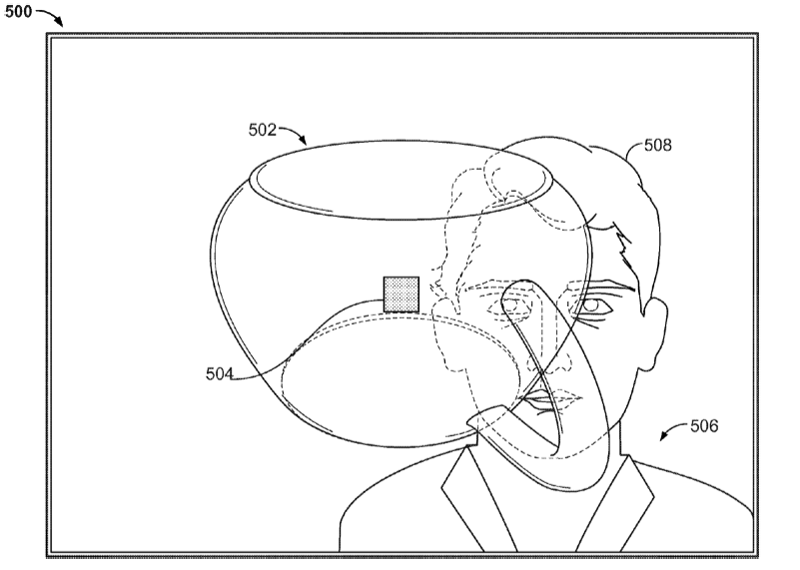
"In some implementations, the graphical icon can serve as an avatar representing a user. A user could control eye positions of an avatar through head motions," Apple notes. "For example, when the user looks right, his head motion will trigger the avatar to look right. When the user looks left, his head motion will trigger the avatar look left. In other implementations, the avatar could simulate movements that the user makes, other than rotating or linear moving."
Manipulation of the Graphical Icon and Focus Transition of the Display
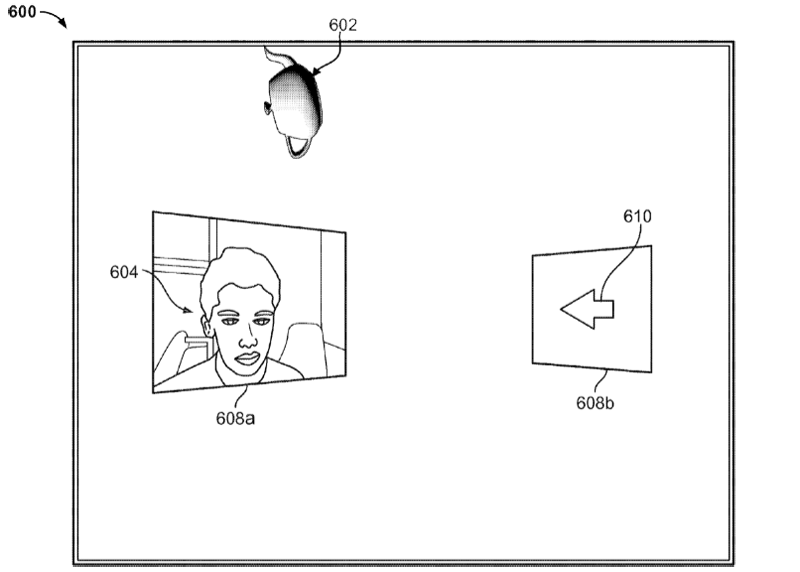
As shown in the example below, the user is moving the teapot by moving his head in a linear path from right to left. At the same time, the user is arbitrarily manipulating the teapot, like rotating it counterclockwise. This way the user can switch the current focus of the display between the two windows, as well as manipulate the teapot at the same time.
Additional Concepts
Apple goes on to note in its filing several additional concepts for manipulating objects and windows based on the same aforementioned principles. For example, it notes that the concept could be applied to computer setups featuring multiple displays. Objects could also be displayed from different angles based on a user's perspective. And in some cases, the aspects of a three-dimensional space can look closer or farer depending on the user's distance to the aspects shown on the computer screen.
The filing is credited to Apple employee Kevin Quennesson.