iPhone 3.0 adds Copy & Paste, MMS, global Spotlight search (photos)
 Prince McLean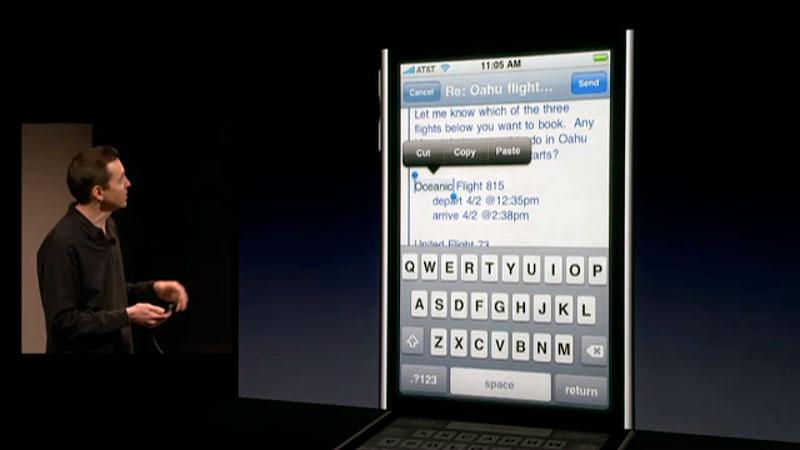
New text editing features
Scott Forstall, Apple's senior vice president of iPhone software, demonstrated a new text selection feature that will allow users to select text by double tapping on a word. That action brings up a popup of copy, cut, and paste buttons, along with selection markers that users can drag to expand their text selection.
Once the selection is made, the buttons allow for usual copy, cut or paste features. The new feature works across any application, and adds undo support. Apple also demonstrated pasting multiple photos into Mail.
Apple is also adding a landscape, wide keyboard mode to other apps outside of Safari, including Mail, Notes, and the new MMS messages app.
Copying and Pasting in on app
You double tap onto the text, and it automatically selects that text, adding grab points you can drag to customize your selection.
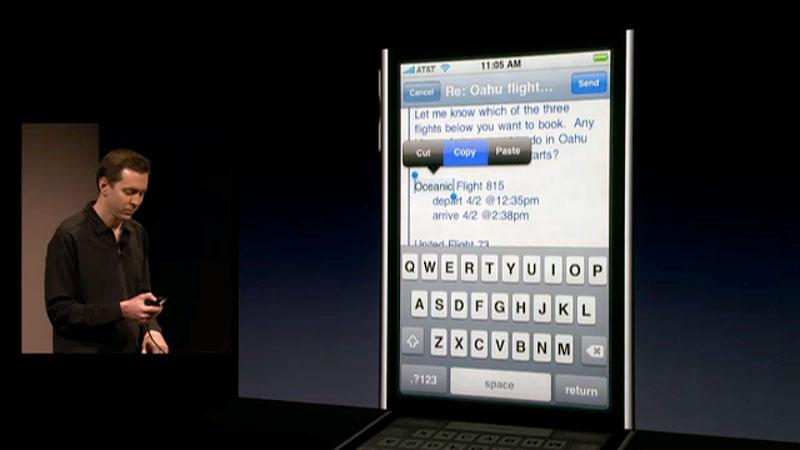
Above the drag points is a Cut/Copy/Paste bubble that allows you to choose your operation (in this case "Copy").
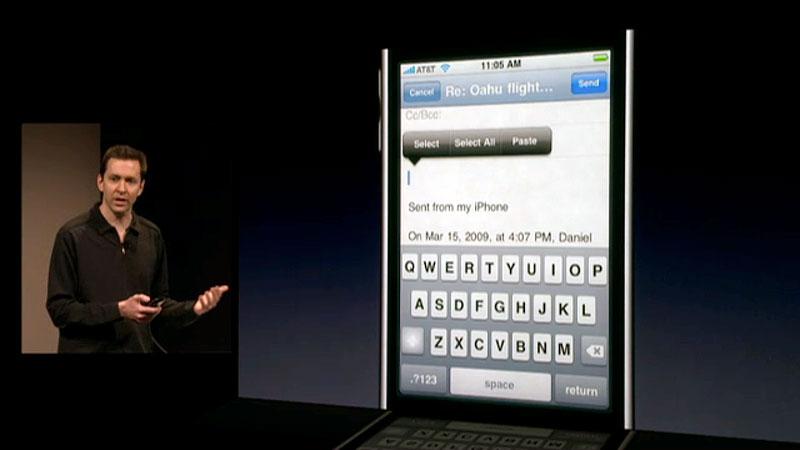
Once you've copied the text, navigate to the place where you'd like to paste the text and double tap to bring up the Select/Select All/Paste bubble.
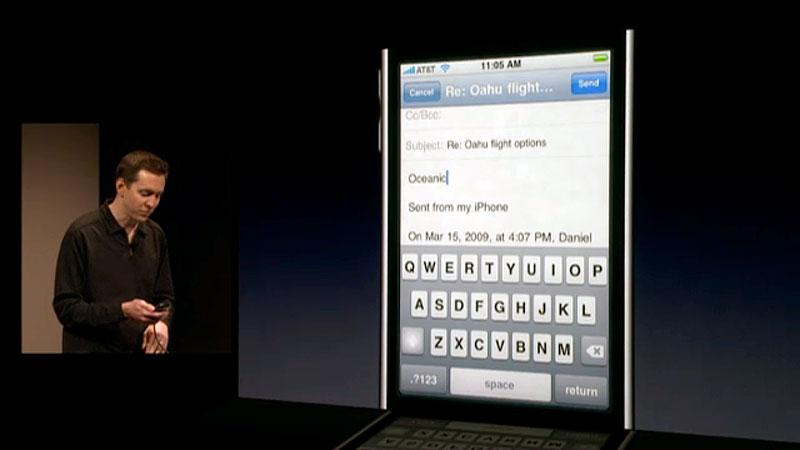
The select choose your operation (in this case "Paste"). That's Copy & Paste on the iPhone.
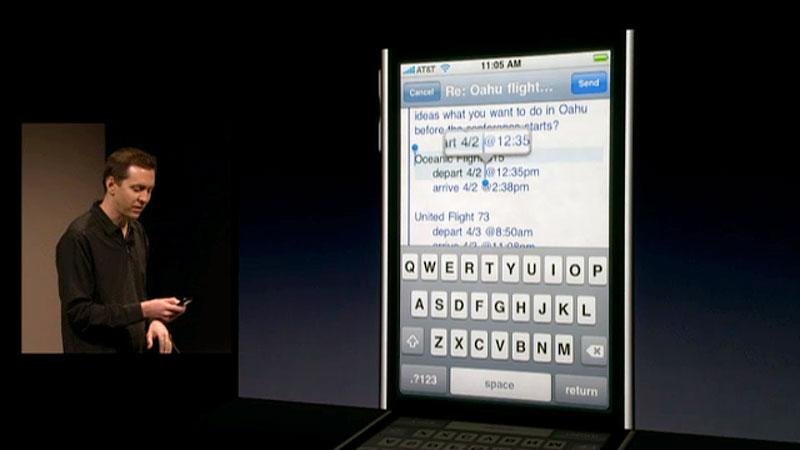
To expand a selection, grab the right or left grab point and drag it along the text. A magnifying glass will popup to help you with your selection.
Copy & Pasting across apps
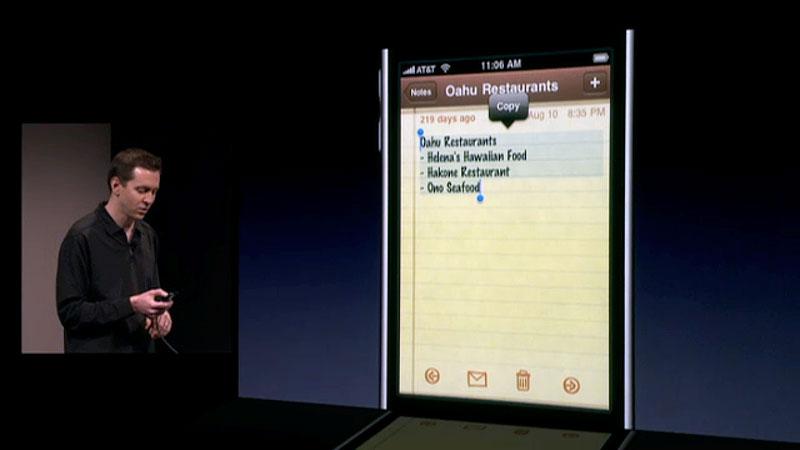
To Copy and Paste across applications, simply copy or cut the text from the first application as described above. Then hit the iPhone's home button.
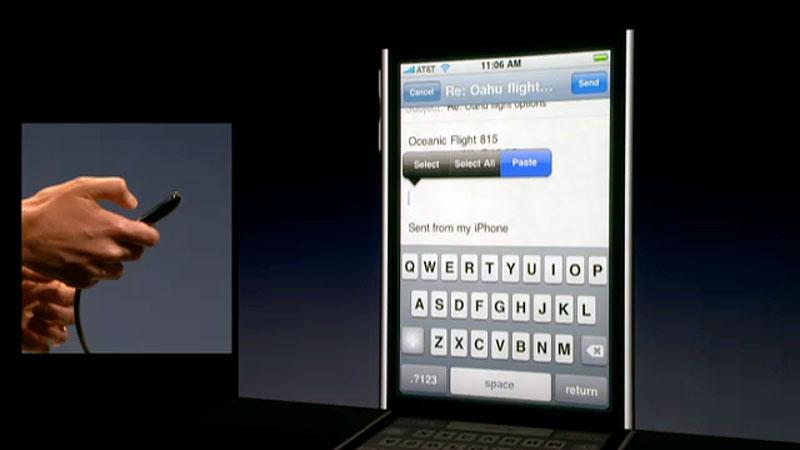
Next, launch the app you wish to paste the content into, double click in the precise area you want the text to appear, then select "Paste" from the popup bubble.
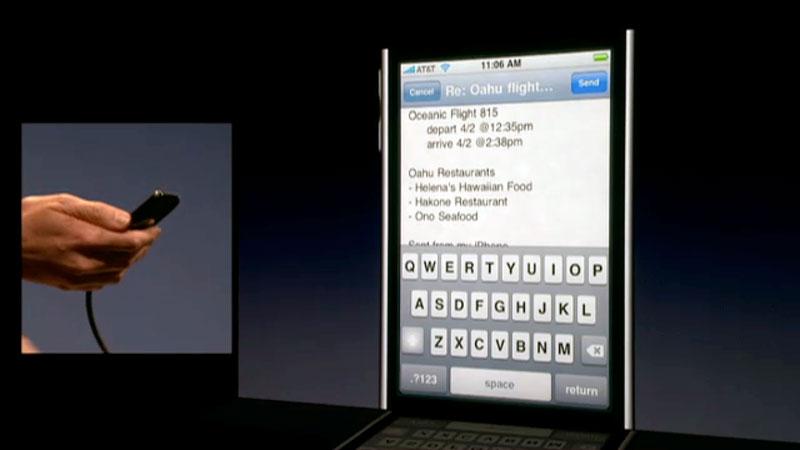
And the copied text appears in the second application..
Copy & Pasting web content
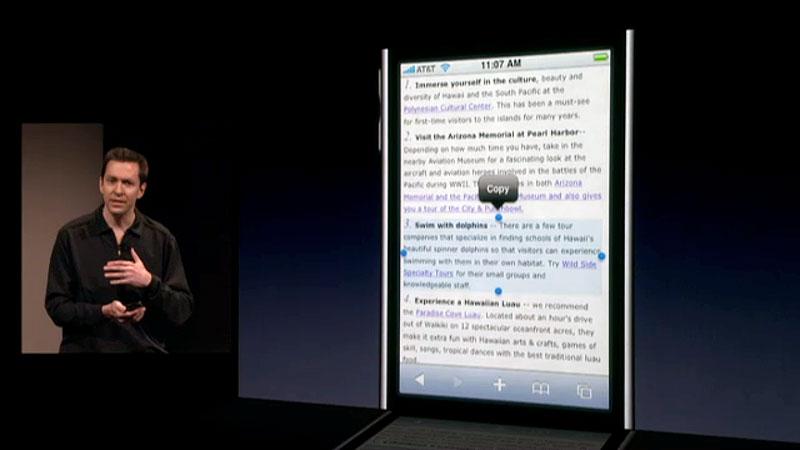
Copying and Pasting web content leverages WebKit's smart container selector (used to isolate content when double tapping in Mobile Safari). A double tap in a Web blurb selects the entire blurb.
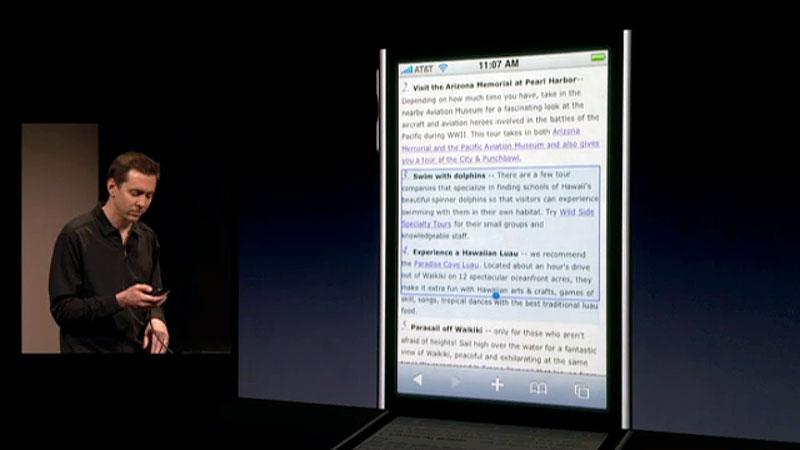
You can then expand the content to other web containers, blurbs, etc by using the grab points. The copied content can then be pasted across apps.
Undo
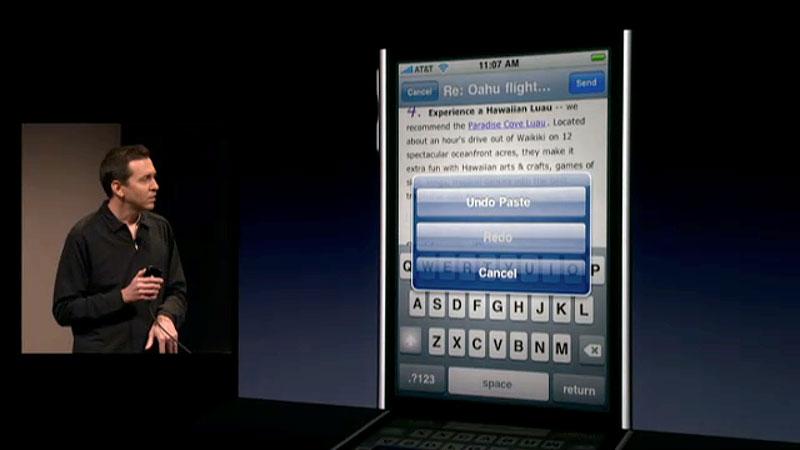
To undo any form of copy and paste, simply shake the iPhone/iPod touch to bring up the Undo/Redo selection overlay.
Copying and Pasting multiple photos to Mail
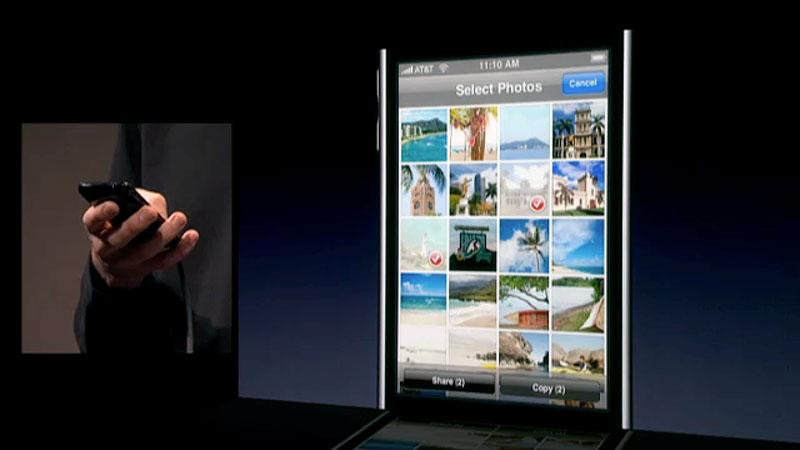
You can also copy and paste multiple photos into Mail messages by selecting the action button at the bottom of a photo gallery and then selecting the images.
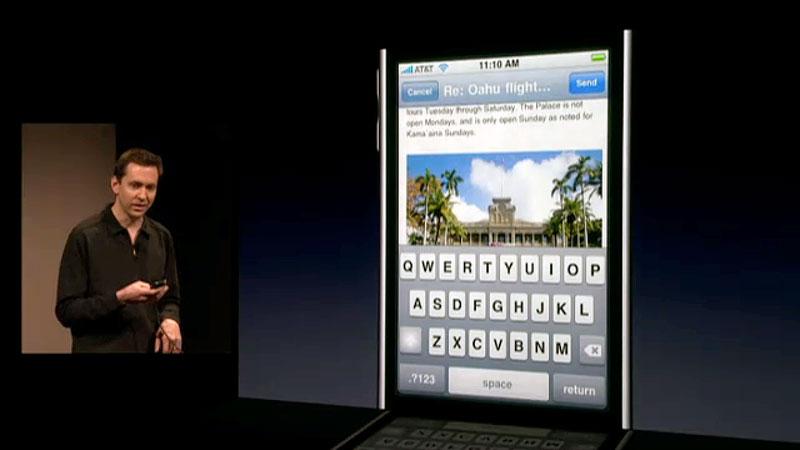
Then return to mail. Double tap where you want to paste the photos. Select "Paste." And you're all set.
Landscape mode for all key apps
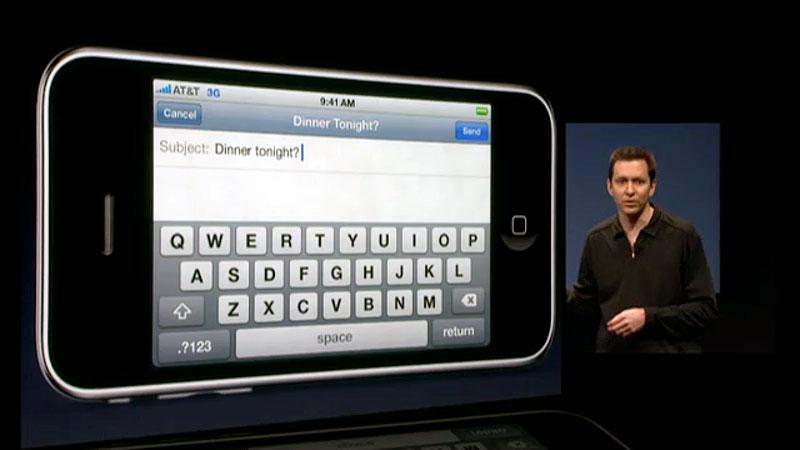
With iPhone 3.0, Apple is expanding landscape mode (with landscape keyboard) to Mail, Notes, and MMS Messages.
Multimedia Messaging
The current SMS app is also being updated into the Messaging app, with support for individual forward and deletion of messages (rather than just clearing the entire conversation log), and support for MMS picture messaging, which is very popular in the UK and Europe. Users will also be able to text other mobile users their contact vCards, audio clips, and geographic locations.
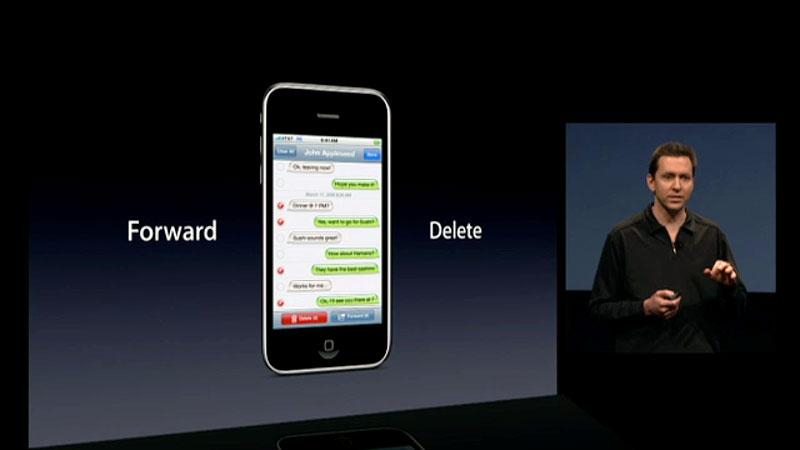
The new Messages app will allow you to forward and delete individual messages (or multiple messages) without having to clear your entire message history for a contact.
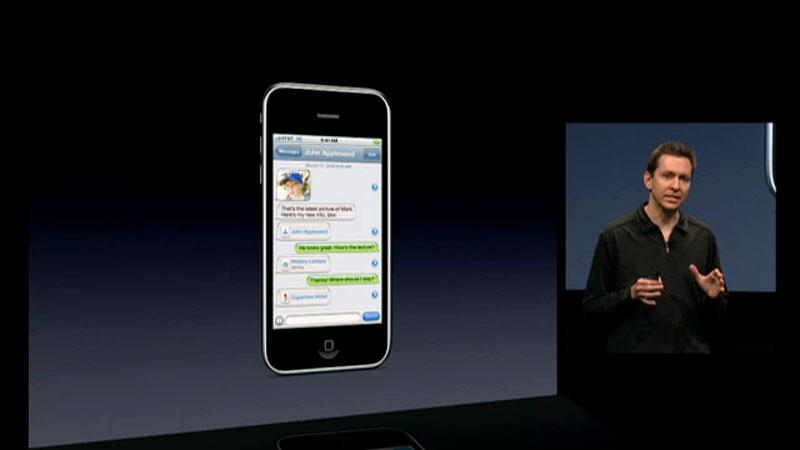
It will also allow you to send and receive photos, audio files, contact cards (using the vCard standard, which can then be saved to your address book), and Locations.
MMS is part of the 3G mobile networking specification and therefore will only work on the iPhone 3G, and only when it has 3G service. MMS also incurs additional messaging fees. Apple designed the original iPhone to use standard internet email for sending pictures, and has been awfully quiet about MMS while reviewers demanded it be added.
New Voice Memos app
Apple will also be including a new application called Voice Memos, which uses the built in mic or mic-integrated headphones to record audio clips that can be edited and then sent to other users via Email or MMS.
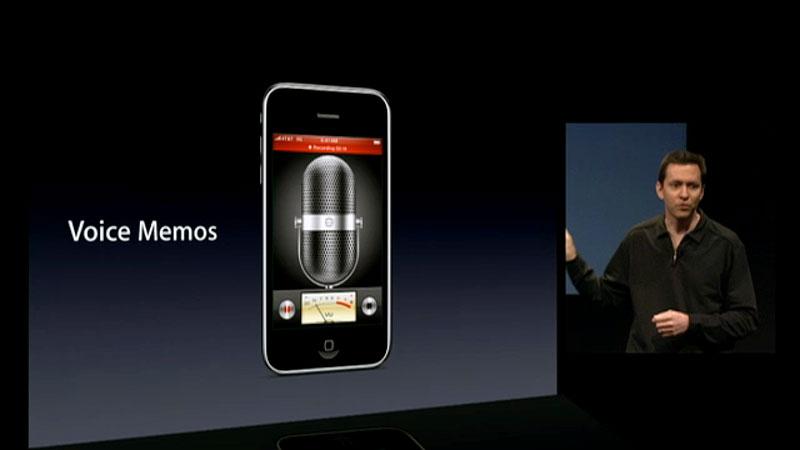
The interface for recording memos in Apple's new Voice Memos App.
CalDAV Calender
The iPhone's Calendar app is being updated to support the emerging CalDAV specification used by Apple's iCal Server and the open source Darwin Calendar Server, as well as other third party calendaring products. This will allow users to create calendars that can be shared with members of their family.
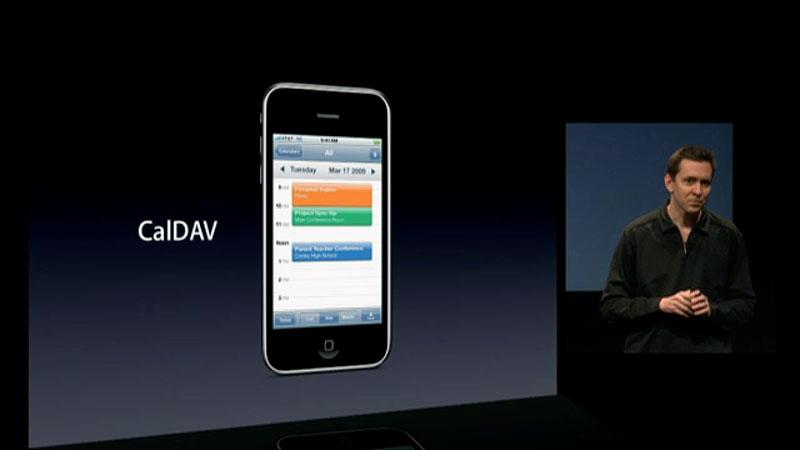
A new version of the Calendar app will support CalDav shared calendars and Subscription calendars (so you an follow your favorite sports team).
That will enable third parties an open mechanism for supporting mobile calendar features. The new Calendar also now works with subscribed .ics iCalendar feeds, which populate calendar events based on an RSS feed. This feature is popular for users wishing to subscribe to a calendar containing their favorite sports team's schedule, for instance.
Note sync
The 3.0 update will also add support for Note sync.
Spotlight search
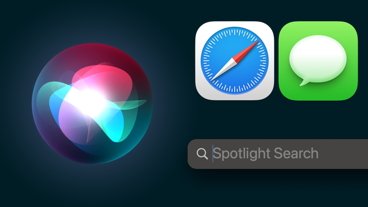
A new global Spotlight search feature can be used to quickly find and launch an application (without having to scroll to your 8th home screen), or to search content content across all apps. It's immediately accessible by flicking the home-screen to the left.
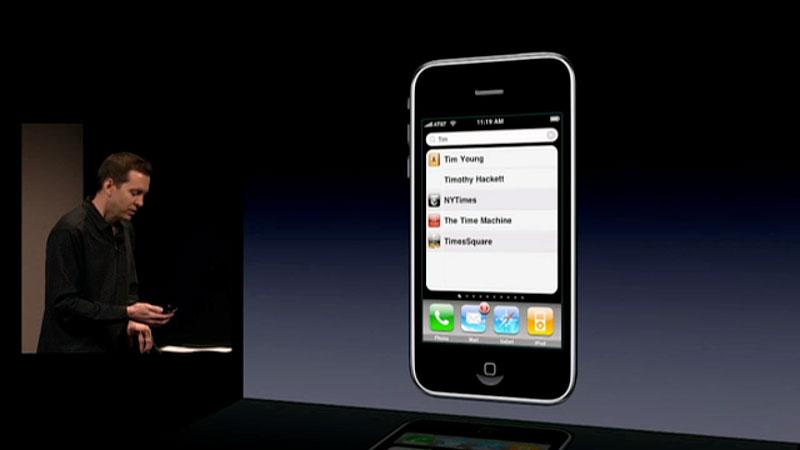
Spotlight will search across all your applications on an iPhone or iPod touch.
Mail, Notes, iPod, and Calendar are also gaining their own built-in search. The Mail search digs through headers, and if it doesn't find matches to messages on the iPhone itself, it will extend the mail search to messages on the mail server. This is supported by Exchange and most IMAP servers.
Other application features
The iPod app now supports "shake to shuffle" during playback, iTunes account creation. Apps in general get access to the iPod library, new audio video tags, live streaming of audio and video, and A2DP stereo Bluetooth headphone support.
YouTube gains support for subscriptions, accounts, and ratings. Safari gains support for encrypted profiles, anti-phishing flagging of suspect sites, and auto-fill forms.

Apple's Stocks app is being expanded to show news headlines and stock details, such as highs, lows, and MarketCap.
The Stock app gains support for company new headlines, high and low tracking, and landscape mode for stock graphs. Meanwhile, Phone gets call log support and OTA profiles. VPN on demand features have also been added.
The new iPhone 3.0 software will be available this summer, free to all iPhone users and $9.95 for iPod touch users. Certain features, including MMS, GPS, and A2DP Stereo Bluetooth, will only work on the iPhone 3G due to hardware features lacking on the original iPhone or iPod touch. The original iPod touch also lacks a built in mic input. A Developer Beta is available today, and Apple said it wants developers to get started with the new platform immediately.









 Wesley Hilliard
 Mike Wuerthele and Malcolm Owen
 William Gallagher
 Amber Neely
 Malcolm Owen

 Andrew Orr








266 Comments
At the preview of the new iPhone 3.0 platform, Apple announced new features for users that include ... MMS, and scores of other new features.
Man I'm so pissed that I can't do MMS with my 2G iPhone
I'll wait for the next one in June (hoping that there will be one)
Man I'm so pissed that I can't do MMS with my 2G iPhone
I'll wait for the next one in June (hoping that there will be one)
Yah, that was the one major bummer. Ya gotta have the 3G model. Not a nice thing for many.
It'll help drive the upgrade cycle, tho', eh? Eval.
.
Yay! FINALLY! So much for everyone who was talking up email and how MMS support was "not needed".
It's not needed - it's just more convenient for some. At an anally-raping price. Knock yourself out, I'll be looking for the way to turn it off, since most of us in the US *can't* block them at the service provider, unlike the rest of the world.
I'm going to find it fascinating and interesting seeing how many people who claim that MMS is useless now will b*tch and moan that they can't do it on their original iPhone.
Continuing... I'll say the nay-sayers of copy and paste now will be singing it's praises.
Guess what people? IT SHOULD HAVE BEEN IN THERE SINCE THE START.