Not intended for Macs?
While Microsoft makes far more revenue selling a retail box of Windows to an Intel Mac user than it does bundling the software on a new PC (hundreds of dollars retail versus around $30 for an OEM license), the company doesn’t seem too view that potential Mac market very seriously.
Prior to the move to Intel, Microsoft sold Virtual PC to Mac users as a way to enhance its Office suite. However, ever since Intel Macs gained the ability to run Windows at full, native speed, the company has spared little effort promoting it to Mac buyers, who as a demographic buy more software at retail prices.
That is likely because the majority of Mac users who have some need to run a Windows application work for a corporation that can supply them with a low cost volume license. Not too many home users who go out of their way to buy a Mac are likely to dash out and get a full retail copy of Windows, as one can often buy a new PC for nearly as much as the full retail copy of Windows, particularly since the price of retail boxes of Windows went up with the launch of Vista.
Jumping through the download hoops
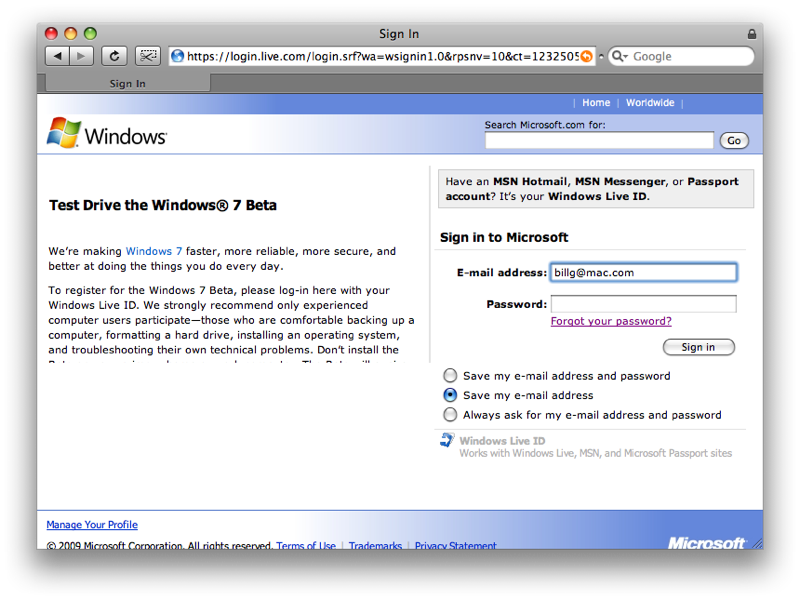
As we prepared to install the Windows 7 beta, we found that Microsoft hadn’t exactly rolled out the red carpet for Mac users. From the first login page (required to access the beta site), Microsoft’s warning message alarmingly trails off into nothing for Safari users because the text is too big for the space allotted (below).
The text actually says: “To register for the Windows 7 Beta, please log-in here with your Windows Live ID. We strongly recommend only experienced computer users participate—those who are comfortable backing up a computer, formatting a hard drive, installing an operating system, and troubleshooting their own technical problems. Don’t install the Beta on your primary home or work computer. The Beta will expire on August 1, 2009. Please be prepared to reinstall a prior version of Windows or a subsequent release of Windows 7 before that date.â€
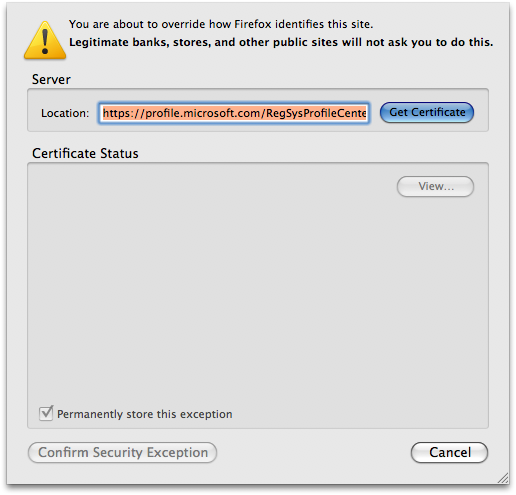
Using Firefox, we ran into show stopper security warnings because Microsoft’s security certificate doesn’t match its domain name. To get past this, you have to confirm a security exception, a step which Firefox insists “legitimate banks, stores, and other public sites†will not ask you to do (below).
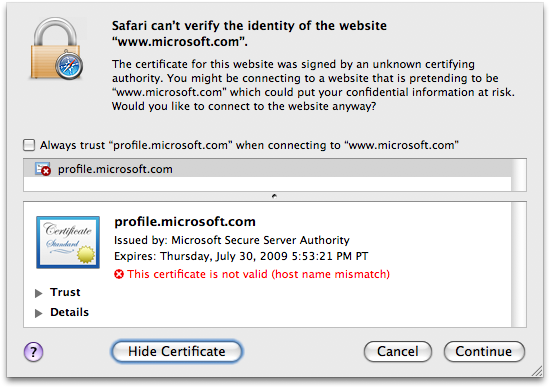
Safari presents a slightly simpler warning that allows you to continue with a single click rather than stepping though the more elaborate exception process within Firefox.
Once past all this mess, Microsoft insists that you download and install its Silverlight 2 web plugin (a step that requires a browser restart) in order to pop up a simple download window to begin copying over the Windows 7 disc image (below).
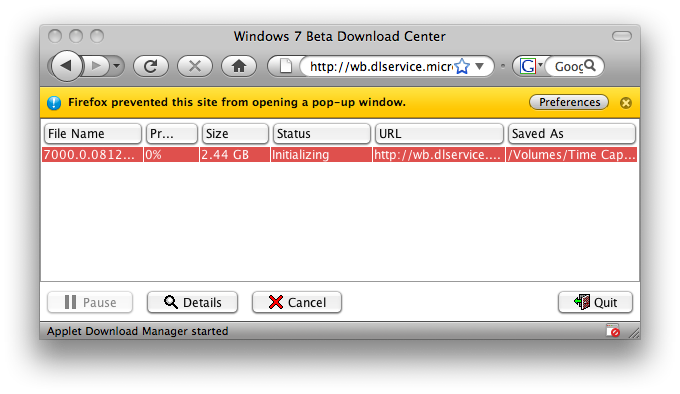
The 2.44 GB image will take some time to download. Over our “16-megabit†cable Internet connection, the download required 52 minutes to complete.
Along with the file download, Microsoft creates a 25-character string for you to type in during the installation, apparently so you don’t pirate the free beta. Given that installing an operating system typically precludes being able to copy and paste the license key, this “print out the key and type in manually†step seems egregious, particularly for Mac users accustomed to not needing any license key to install Mac OS X.
A virtual install
Installing the beta in a virtual environment is identical to setting up Windows Vista, as the new operating system is essentially Vista with some general (largely user interface) enhancements. On an architectural level, they are nearly identical.
Burn the beta disc image to a DVD, then set up a new Vista PC in your virtual software of choice, and Windows 7 will pretty much install itself. We initially tried using Parallels Desktop 3, but it has some compatibility issues with the beta that render it unworkable.
The newer version of Parallels’ software addresses those, but we took the opportunity to try Sun’s free, open source VirtualBox software instead. Parallels, VMware Fusion, and VirtualBox are all very similar in how they work, making the free software from Sun an easy choice for quickly setting up the new beta without any added expense.
Sun’s software is a bit rough around the edges for a Mac application (using such weird user interface conventions such as the non-functional, purple close box on the preferences window below), but seems to work acceptably.
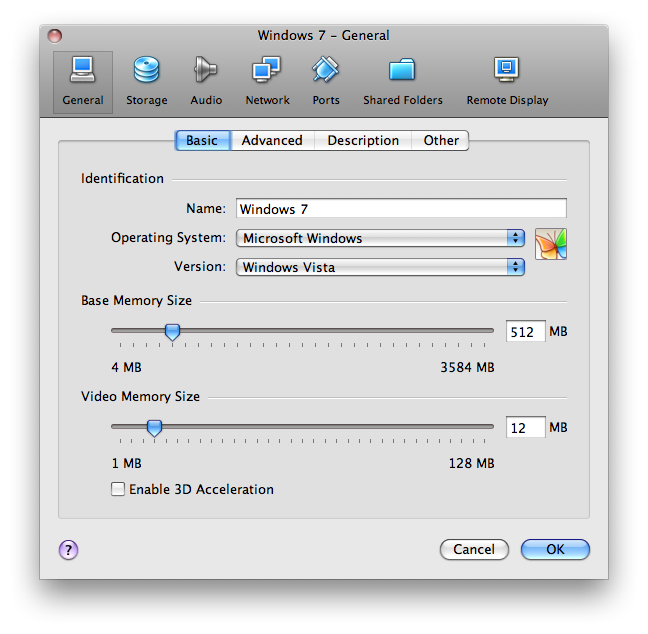
All three virtual environments emulate a basic PC with middle of the road components. The CPU itself isn’t actually emulated, of course, because Intel Macs have one of those natively.
However, Windows 7 running in one of these environments doesn’t see your Mac’s native hardware, but rather the more generic “lowest common denominator†PC hardware those virtual apps present to the operating system.
For example, the Sun VirtualBox software presents Windows 7 with an Intel PRO/1000 gigabit Ethernet network adaptor by default (below), regardless of the actual network interface actually installed in your Mac model.
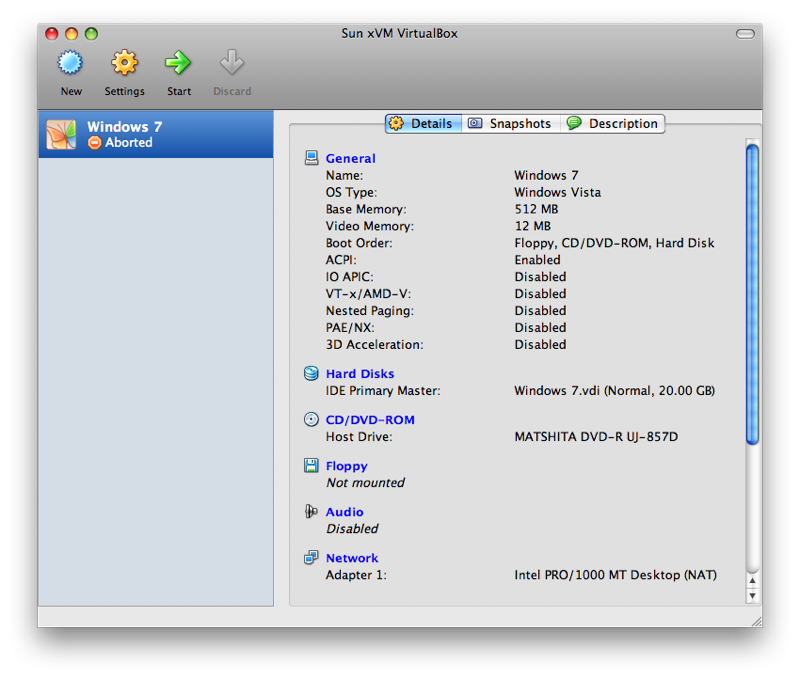
This tends to make installing Windows in a virtual environment very easy, because no special drivers are needed to get it up and running. All you do is run through the basic setup steps presented by Windows.
Unlike XP, Windows 7 no longer drops down into DOS-looking text modes during its several reboots of the install process; instead, it begins with 2001 era, NT-looking windows that quickly adopt the Vista Aero-look as the install process continues.
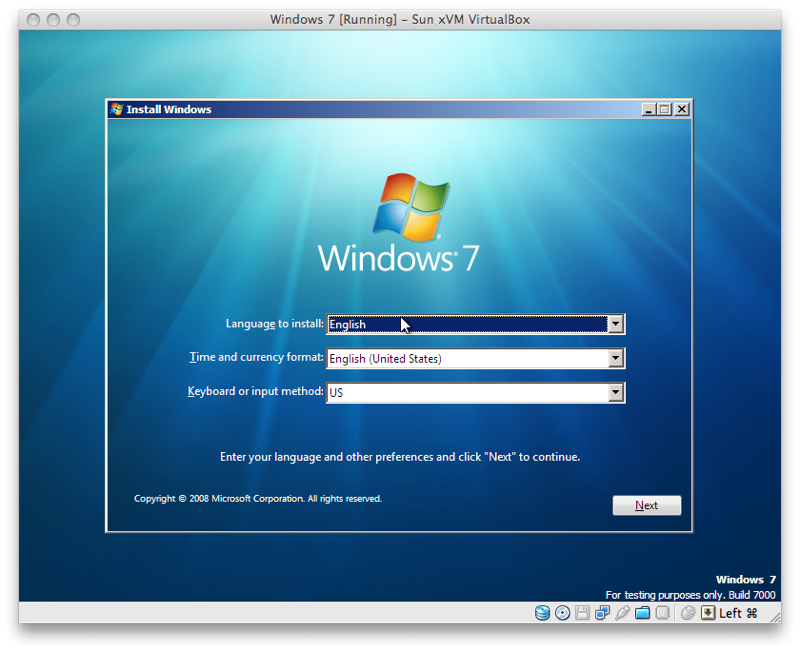
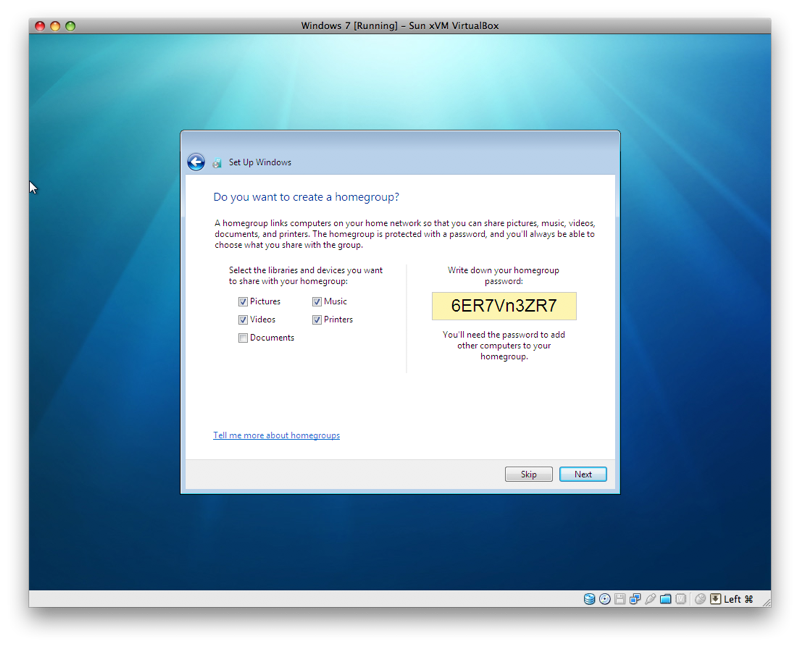
After keying in that long license number, there isn’t much to set up during the install process, apart from optionally setting up HomeGroup, Microsoft’s new technology for sharing files and devices with nearly the simplicity of a Mac.
Be sure to write down the insane password it generates for you (below), as a weak password would be far worse than a strong password jotted down on a sticky note next to your PC.
The dual boot alternative
Using Windows 7 in a virtual environment is fast enough for running the occasional Windows app, but it isn’t suitable for playing Windows-only games or other applications that demand the full performance of the system. For that, you’ll want to set up your Mac using Boot Camp and install Windows natively.
The next segment will look at setting up Windows 7 natively on a Mac, and what additional issues are involved over using it in a virtual environment.
Previous Windows 7 vs. Mac OS X Snow Leopard segments
Windows 7 vs. Mac OS X Snow Leopard: competitive origins
Windows 7 vs. Mac OS X Snow Leopard: Microsoft's comeback plan