Apple releases Mac OS X 10.5.2 Update
 AppleInsider Staff
As of press time, the update was available solely via the Mac OS X Software Update mechanism accessible from under the Apple menu. Once the 10.5.2 Update is applied, Software Update will then offer to download an install a separate graphics driver updated labeled "Leopard Graphics Update 1.0" (48.9MB) that upgrades certain unspecified Macs for compatibility with certain programs and overall stability. A list of bug fixes and enhancements delivered with the 10.5.2 update are as follows:
Active Directory
- Addresses issues which could hinder or prevent binding Mac OS X 10.5.x clients to Active Directory domains.
AirPort
- Improves connection reliability and stability
- Includes 802.1X improvements
- Resolves certain kernel panics
Back to my Mac
- Adds support for more third-party routers, as detailed in this article
Dashboard
- Improves performance of certain Apple Dashboard widgets (such as Dictionary)
- Addresses an issue in which Dashboard widgets may no longer be accessible after switching to or from an account that has Parental Controls enabled
Dock
- Updates Stacks with a List view option, a Folder view option, and an updated background for Grid view
Desktop
- Addresses legibility issues with the menu bar with an option to turn off transparency in Desktop & Screen Saver preferences
- Adjusts menus to be slightly-less translucent overall
iCal
- Improves iCal so that it accurately reflects responses to recurring meetings
- Addresses an issue in which a meeting may remain on the calendar after being cancelled
- Addresses stability issues related to .Mac syncing of iCal calendars
- Resolves an intermittent issue in which editing an event with attendees would cause the event to shrink and not register that the event was updated
iChat
- Addresses an issue with simultaneously-logged in accounts in which iChat sounds generated from one account might be heard in another account
- Fixes an issue in which iChat idle time is affected by Time Machine backups
- Improves connectivity when running iChat behind a router that doesn’t preserve ports
- Enables logged chats from previous versions of iChat to open faster and more reliably
- Addresses an issue with text chats in which users may be unable to receive messages from the sender
- Addresses an issue that may prevent rejoining an AIM chat room without reopening iChat
- Addresses video chat compatibility issues with AIM 6 and third-party routers
- Fixes an issue with case-sensitivity of AIM handles
iSync
- Adds support for Samsung D600E and D900i phones
Finder
- Addresses an issue in which Finder could unexpectedly quit when displaying folder contents in Column view
- Addresses an issue in which Finder could unexpectedly quit when accessing Users and Groups in a Get Info pane
- Resolves an issue that prevented setting permissions on a folder alias
- Resolves an issue in which the Eject command could write to a disc in the optical drive
- Fixes an issue in which the scroll bar might disappear when deleting a file within a folder that includes files that are out of view
- Fixes an issue in the Sharing & Permissions section of Get Info windows, in which the gear icon appears to be gray/disabled after authentication
- Addresses an issue in which the Show Icon Preview preference might not be not saved when turning it off
- Fixes an issue that could occur when trying to print an image from the Finder
- Addresses an issue with Message menu's Mark > As Read choice
- Fixes an issue in which duplicate On My Mac folders may appear in the sidebar after upgrading to Leopard
- Improves the accuracy of the Data Detectors feature
- Resolves an issue with scrolling through a Note that is displayed using the split view in the message window
- Fixes an issue with deleting messages located in the Drafts folder
- Fixes an issue in which dragging the icon in the Safari URL field into a Mail message creates an attachment instead of a link
- Addresses an issue found when opening a item in the Notes folder that is not a Note
- Fixes an issue that may prevent RSS feeds from being delivered in Mail
- Resolves an issue in which a selected message could "flash" from blue to gray when in Organize by Thread mode
- Fixes an issue with scrolling between multiple To Dos in an email message
- Fixes an issue in which the body of email messages with certain MIME structures may not be displayed
- Improves performance with America Online (AOL) account-based messages in Mail
- Addresses issues with some ISPs during automatic set-up in Mail
- Addresses an issue in which Mail might not send mail on some networks to some SMTP servers
- Mail now automatically disables the (unsupported) third-party plugin GrowlMail version 1.1.2 or earlier to avoid issues
- Adds an option to view large icons in the Mailbox list
Networking
- Addresses a hanging issue that may occur when connecting to an AFP network volume
Parental Controls
- Improves stability when opening the Parental Controls System Preferences pane
- Fixes an issue that may prevent changes to the email address for permission requests
- Addresses an issue with printer administration for a guest account enabled with Parental Controls
- Addresses an issue with setting printer administration privileges from another Mac on the local network
- Fixes an issue that could prevent certain applications from being allowed
- Addresses accuracy issues with the web content filter
Preview
- Improves stability when scrolling through a PDF document
- Fixes an issue that prevents tabbing within a PDF document after clicking on the PDF
- Improves the Mail Document feature so that email attachments are more reliably created from Print Preview
Printing
- Addresses an issue in which remote printers may be deleted when the computer is put to sleep
- Improves printing performance when using some Microsoft Office applications
- Resolves an issue with some printing options, such as landscape orientation, number of copies, two-sided printing, and so forth that may not have functioned with some printers shared by Microsoft Windows
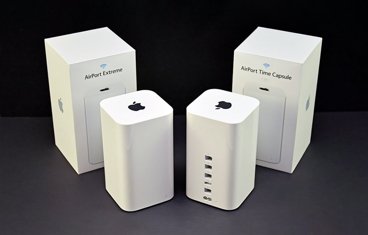
- Adds support for certain printers connected to the USB port of an AirPort Extreme or AirPort Express base station
- Resolves a stalling issue that could occur when installing certain Canon printing software from a disc
RAW Image
- Adds RAW image support for newer Canon, Hasselblad, Leaf, Nikon, and Sony digital SLR cameras, as detailed in this article
Safari
- Addresses issues with Safari reliably resolving certain domains
Login and Setup Assistant
- Addresses an issue in which Setup Assistant could unexpectedly appear each time Mac OS X 10.5 starts up
- Improves stability and performance during log in
System
- Improves the accuracy of the grammar checker
- The computer will now shut down if an automatic disk repair does not succeed during startup
Time Machine
- Adds a menu bar option for accessing Time Machine features (the menu extra can be enabled in Time Machine preferences)
- Improves backup reliability when computer name contains slash or non-ASCII characters
- Fixes an issue in which the backup disk displayed in the Finder may be out of sync with the disk chosen for Time Machine
- Addresses issues in which some external drives are not recognized by Time Machine
- The status menu now appears by default
Other
- Improves general stability when running third-party applications
- Addresses an issue in which the incorrect search results may be displayed for certain Automator Find/Filter actions
- Addresses an issue with the Latvian and Russian keyboard layouts
- Addresses an issue in which the backlight could turn off before Energy Saver's backlight setting
Users are discussing the update here.










 Mike Wuerthele

 Malcolm Owen
 Chip Loder

 William Gallagher
 Christine McKee
 Michael Stroup