Road to Mac Office 2008: Word '08 vs Pages 3.0
 Prince McLean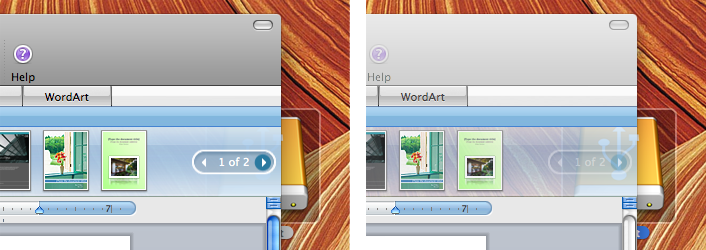
The planned mid-January release of Office 2008 offers a significant overhaul of the productivity suite's look and features. The previous segment described the challenges in front of the Mac Business Unit at Microsoft: deliver a new suite of applications with the features of the Windows side, but with an appearance and behaviors attractive to Mac users. Here's a more in-depth look at the specific new features in Word 2008, with some comparisons to Apple's Pages 08 included with iWork.
One of the most attractive features of Office 2008 in general is that it's being delivered as a Universal Binary. That means it will now run natively on Intel Macs rather than relying on Apple's Rosetta translation technology to map PowerPC code to run on Intel processors. This should impact how fast Word and other Office applications launch and run.
Based on initial testing, it appears that Office 2008 delivers a massive improvement for both launch times and performance in general on Intel systems, but offers very little improvement for PowerPC Macs. It is difficult to make accurate performance observations on an early beta, but the difference on Intel Macs is already very significant, particularly for Word, which seems to lead the Office 2008 suite in terms of stability and progress. Among other things, Word 2008 can now handle live window resizing, something the new Excel and other componets don't yet do.
If you forgotten, Word 2004 and the rest of the existing Office suite can't redraw the window while it is being resized; it only draws a resizing outline as applications did on the classic Mac System 7. All modern Mac OS X apps feature live redrawing, and Tiger's QuickTime 7.0 could even redraw live movies while they play. Hopefully Excel and the rest of the Office 2008 suite will catch up to Word by the time Office is planned for release later this winter.
The code in Office, portions of which are more than twenty years old, is going through its most significant renewal since it was carbonized as Office v.X back in 2001. The new changes are resulting in some features being different, some being lost, and some new ones being added.
Among the new features in Office 2008 are its new translucency and other graphic effects that rely upon Mac OS X's Quartz Graphics. The Elements Gallery described earlier in Road to Office 2008: installation and interface is subtly translucent in an active window (below left), but becomes almost fully transparent when the window is inactive (below right), as the desktop icon behind it highlights.
In contrast with the new Word, Pages 08 is already a Universal Binary and launches and runs without any hesitation. It also lacks any legacy code, as it was first offered in 2005, just prior to the release of Mac OS X 10.4 Tiger. Pages is now at version 3.0, but its entire lifespan has been within the last release of Office, as noted in Claris and the Origins of Apple iWork. How Pages stacks up next to the new Word is noted in the following overview of Word's features.
Getting Started in Word
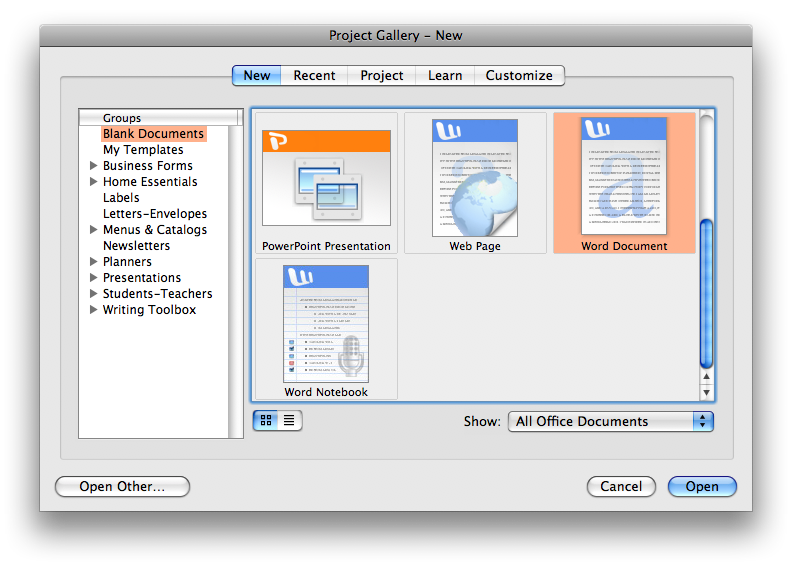
The first noticeable difference in Word 2008 is in the Project Gallery which opens at startup. The existing Word 2004 (below) offers to open a new regular document, create a new notebook, or to start a web page. It also offers to create documents using other Office apps, in case the user launched Word with the idea of creating a PowerPoint presentation. The existing version of Word also presents wizards for creating envelopes and labels, as well as templates for various types of documents; these are both listed in the groups section to the left, but are somewhat hidden among all the text. The templates provided in Word 2004 weren't really very usable either.
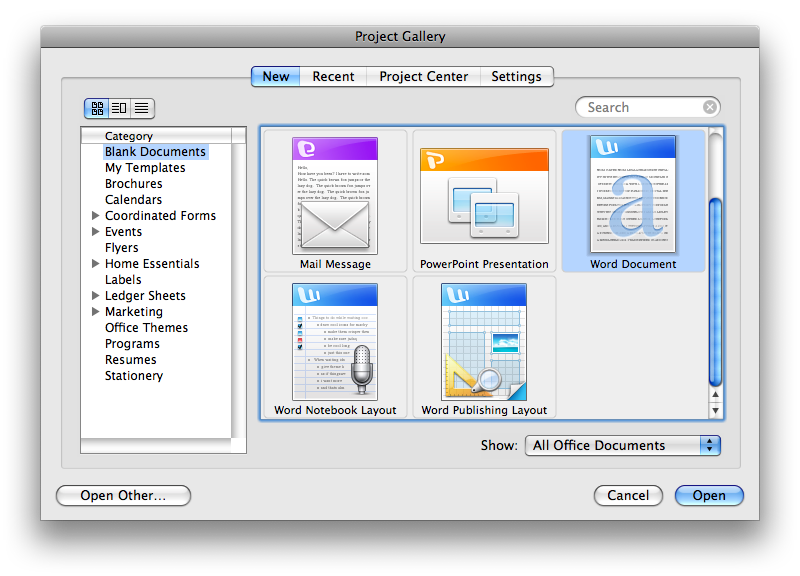
Word 2008 offers a variety of improvements: rather than offering to build a web page, Word instead focuses on creating a standard word processing document or a publishing layout project, as well as offering to start a voice annotated notebook document designed for note taking. While the templates are still buried, they also appear to be more professional looking and potentially useful as a starting point for creating new documents. The new Project Gallery (below) doesn't show them off very well, but they are also available for selection from within Word using the Elements Gallery.
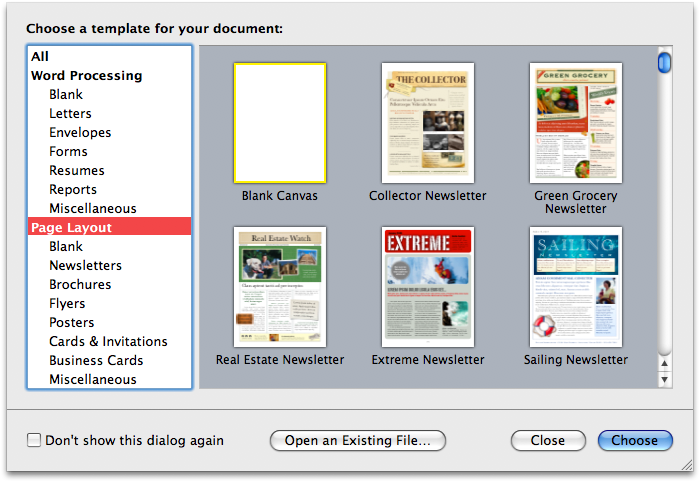
The Office Project Gallery doesn't open by default when you create a new document. In contrast, Apple's Pages 08 in iWork presents a similar but more streamlined interface (below) for getting started, using a graphical display of templates that defaults to opening a blank document. This template selection window can be easily turned off in both Pages and Word for users who'd rather just start with a blank document.
Word Processing vs Page Layout
In Word 2004, there were four view modes. The character-based Normal View dated from the days when computers lacked the horsepower to draw the page as it would appear in print, while the separate Page Layout View was intended for previewing how the the document would actually appear when formatted on the page. Two other views provide specialized formatting for an Outline and Notebook view.
Word 2008 renames Page Layout View to Print Layout View, and introduces a new Publishing Layout View. This new mode offers familiar page layout tools such as text boxes that flow text across columns on the page, guide rulers, master pages, item arrangement tools, and other features that push Word into the territory of Microsoft Publisher, which was never offered on the Mac.
In Publishing Layout View (below), the document appears to lay upon a woodgrain background, and the ruler guides change from the tabs-oriented word processing ruler to positioning rulers on the top and left side. This mode also presents an uncluttered toolbar with drop down menus of AutoShapes (discussed below) and lines, a magnifying glass tool for zooming in and out, and arrangement and grouping menus of icons.
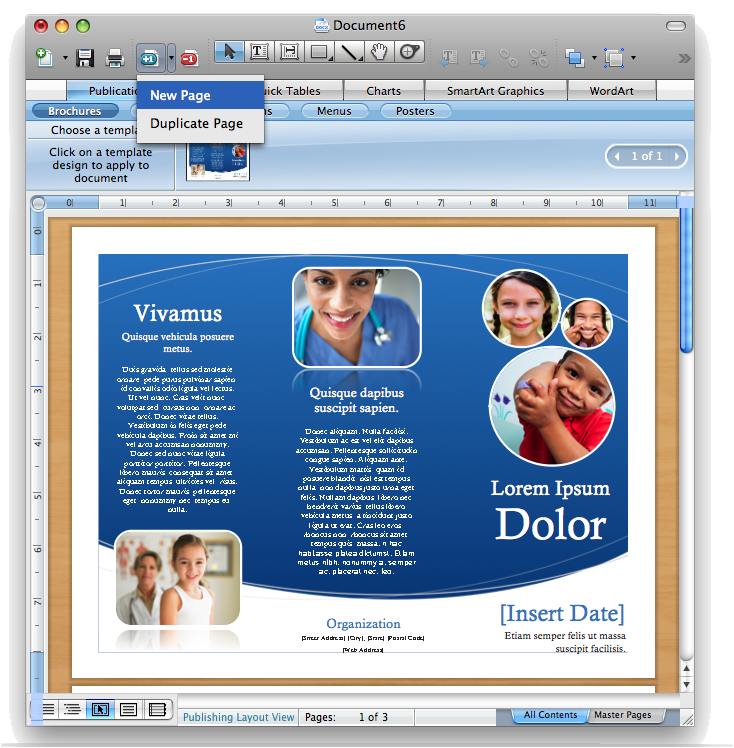
Within this view, the Elements Gallery selection presents Publication Templates for creating brochures, flyers, programs, menus, and posters, but the beta version only includes nine different templates in total. It's also somewhat confusing to "click on a template to apply to document," but end up with a new document window instead. It's not obvious how to insert template pages into an existing document. If you chose "new page," you get an additional page with a template related background but no content; you can't modify its look or select a specific template page to use instead.
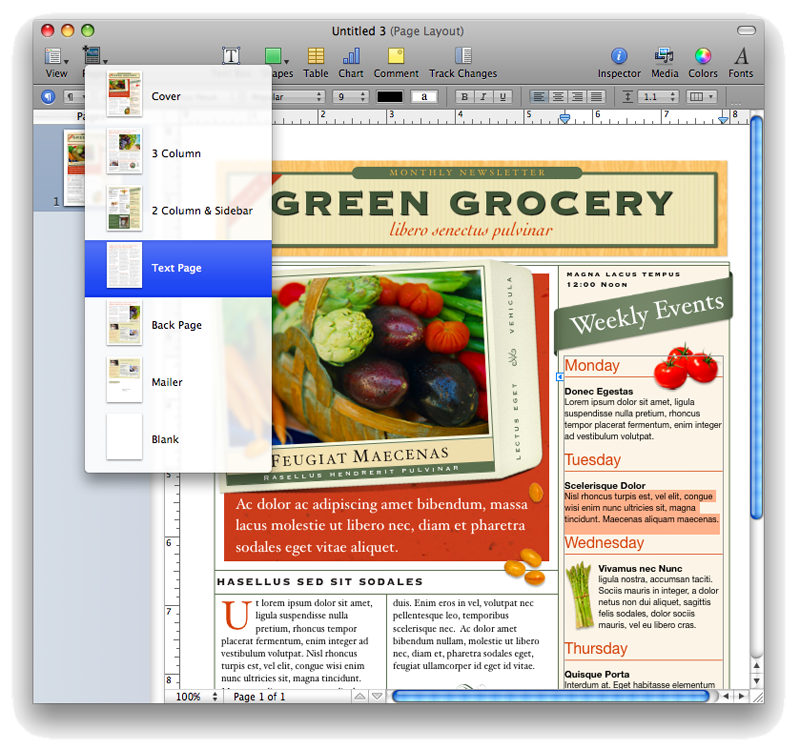
In contrast, Pages has you start with a given template family and then, from the Pages button (below), offers to add in additional pages that either match the template style you chose, or offer alternative versions of it.
On page 2 of 3: Editing Things on the Page: AutoShapes; and Using Word for Words
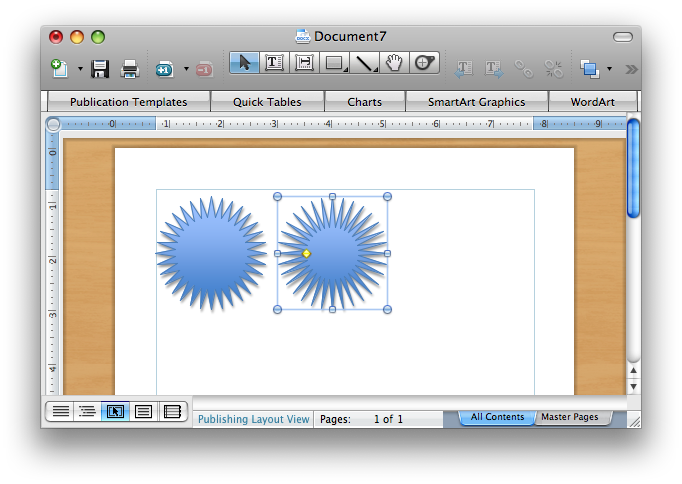
Once you've settled on a template or blank starting point, Word lets you add the familiar flowing text regions, shapes, and lines. One interesting idea that appears to be unique to Word is AutoShapes. When selected, these shapes offer the typical corner grabbers for resizing, but also have gold grabbers that adjust a set skew, resizing, or positioning feature.
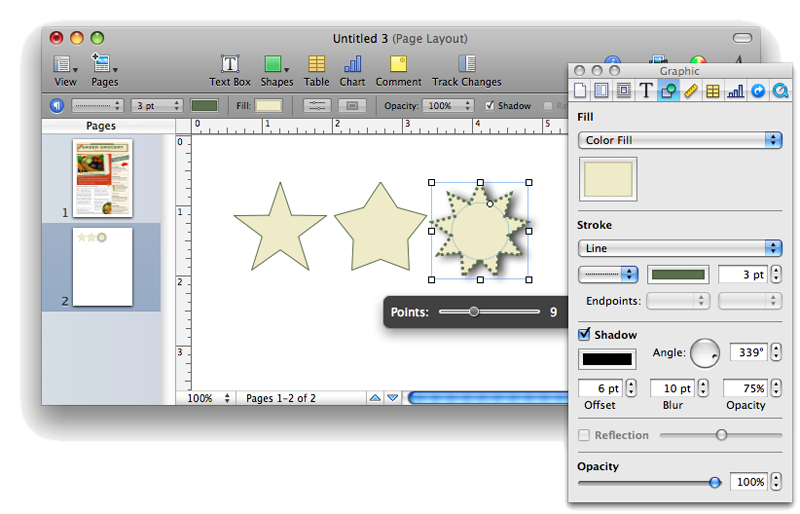
For example, the star AutoShape presents a gold grabber to change the inside radius of the tines of the star (below, reduced on the selected star on the right). The blue balls and squares are Word's fancy standard grabbers used for the usual resizing.
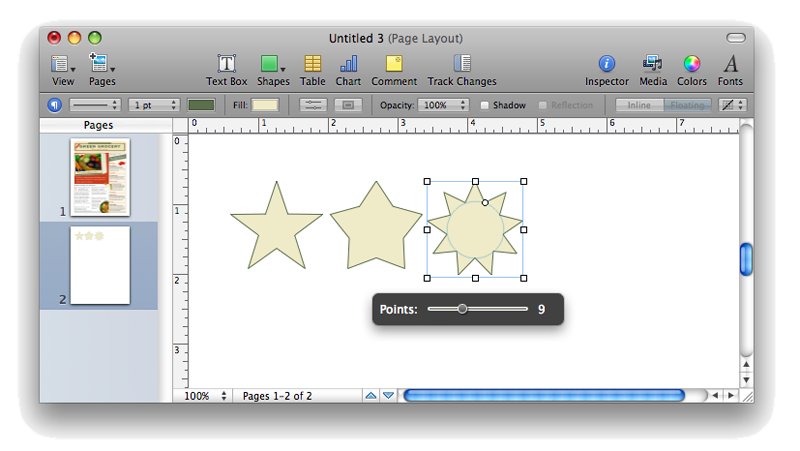
Pages offers similar shape tools, but uses a round grabber to select inside radius, and presents an additional slider control for adjusting the number of star points (below).
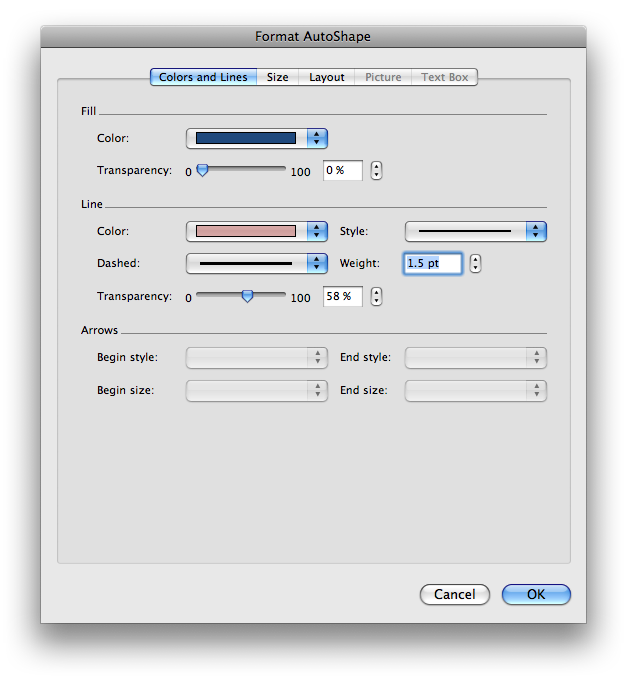
To modify the fill color or line weight of Word's AutoShape objects, you simply double click on it and are then presented a modal window with settings (below). The settings you chose aren't applied until you OK the window, so this style of editing might require some experimenting to achieve the look you want.
In Pages, you use a non-modal Inspector panel, which reflects the changes as you make them.
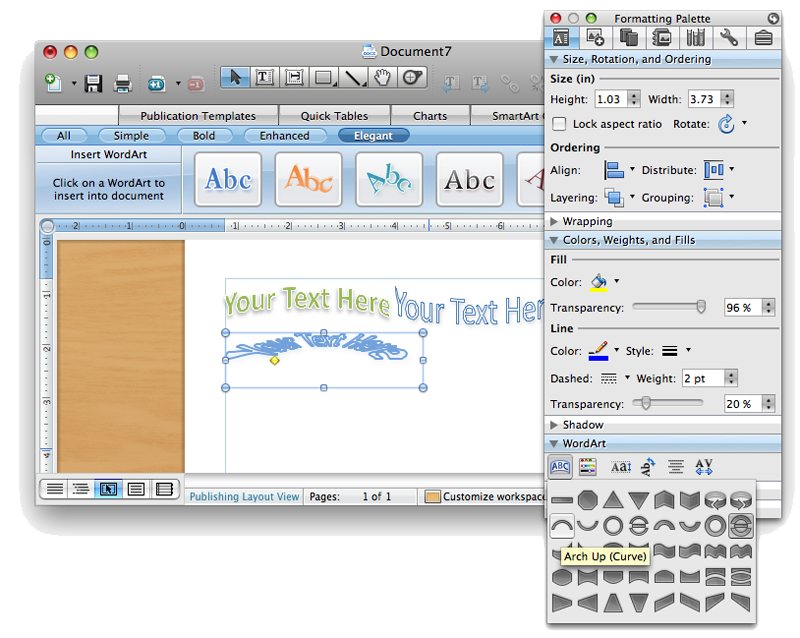
Another prominent feature in Word 2008 is WordArt, which presents gold grabbers on special text blocks that can be adjusted to skew the lettering or distort text along a curve, for example. A variety of preset styles are displayed in the WordArt section of the Elements Gallery (below). Once created, a WordArt text block can be modified using the same modal window as AutoShapes or using the Formating Palette's WordArt settings (below). Pages has no equivalent feature to WordArt.
Other features presented in Word's Elements Gallery teeth are Quick Tables, which create a formatted table; Charts, which apparently integrate with Excel spreadsheets, but aren't yet functional; and SmartArt Graphics, which insert a presentation-style graphic layout that users can customize with text labels. All of the examples looked like ways to illustrate synergy and dynamism within company meetings.
The entirely new Publishing Layout View of Word 2008 presents some interesting ideas. The Publishing Layout Toolbar can't be edited, which is unfortunate because many of the tools that one might want to have readilly accessible when doing page layout tasks — such as bring to front or send backward — are buried in toolbar menus.
The default light woodgrain background image behind the document offers an interesting differentiation for the Publishing mode. It can be edited using the Customize Workspace menu at the bottom of the window, but the only options are to use a series of darker wood finishes, a textured black leather, or various brushed metals. Serious workers might desperately long for a more neutral background that doesn't compete with the document for attention, just as the standard Word Print Layout View uses.
Using Word for Words
Outside of the new Publishing Layout View, Word reverts back to its more common self as a word processor. If you turn off the Elements Gallery, Word 2008's new semi-standard toolbar presents a document window that is much more attractive and utilitarian than the bright white floating toolbars of the existing version.
The few tools of the standard toolbar (below) allow you to quickly undo, copy and paste text formatting, set up multiple columns of text, or insert charts. The Navigation Pane presents a sidebar of thumbnails when working on a multipage document, and next to it are buttons for displaying the Gallery and the Palette.
All of those features were in the old Word, but they were easy to miss in all the rubbish buttons presented in rows of icons, from the web page editing tools and archaic print preview button to the mysterious Toolbox button and the button that activates another set of toolbar buttons. With those all stripped away, the more useful features of Word 2008 actually stand out rather than being lost in all the noise.
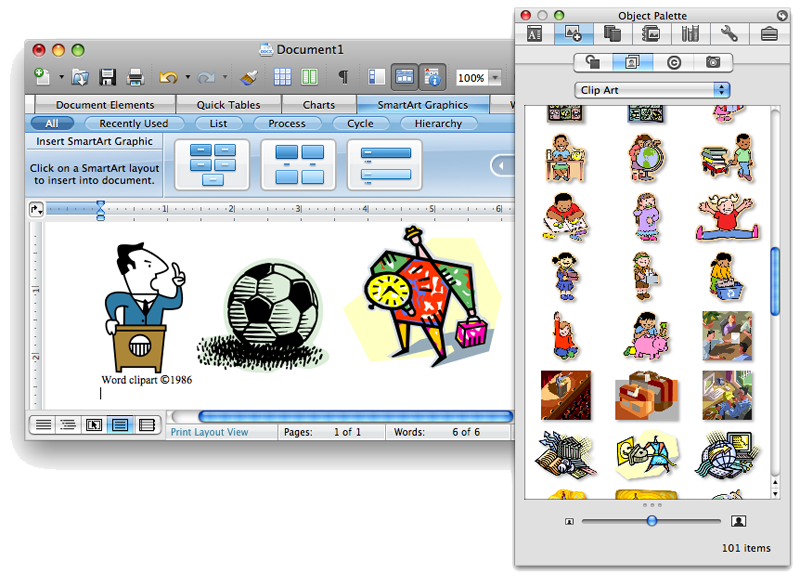
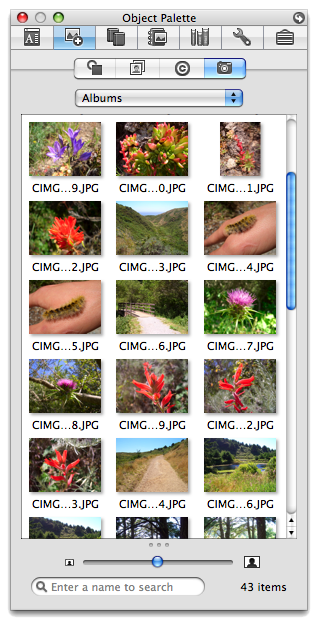
The Toolbox has now been merged into the Formatting Palette to create a hybrid floating panel with various features. Some make sense, other less so. The Scrapbook and Reference Tools you've probably never used are at least more visible now. Also integrated into the Toolbox/Formatting Palette is the Object Palette, which provides a drag and drop selection of shapes, clipart, symbols, and media files (above). It doesn't use the standard Media Browser panel, but does present photos and albums from iPhoto (below).
On page 3 of 3: Bibliography Tools; Formatting and Theming Tools; and Word vs Pages.
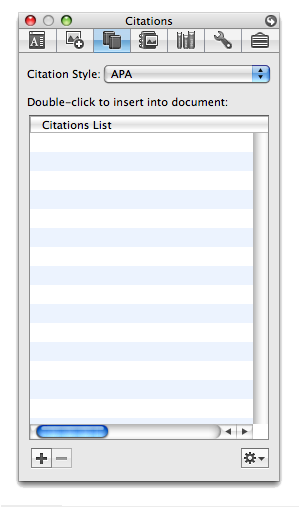
Also among the Toolbox/Formatting Palette components is a new citation manager (below) for building bibliographies. Previously, you'd need a secondary software tool such as Thomson's EndNote for managing references; now Word builds that feature in directly.
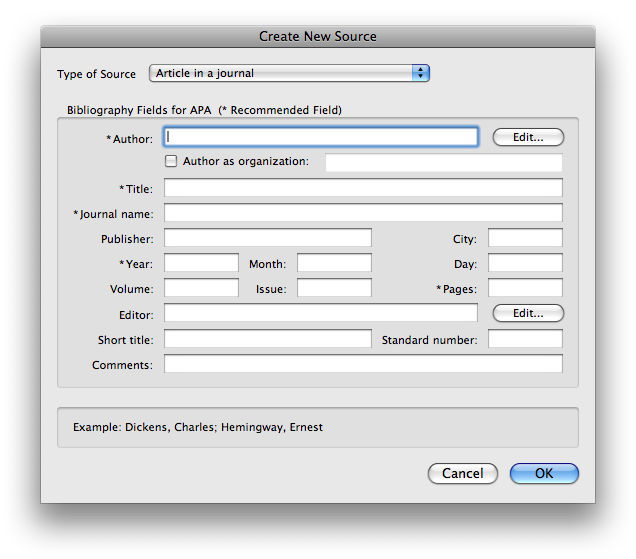
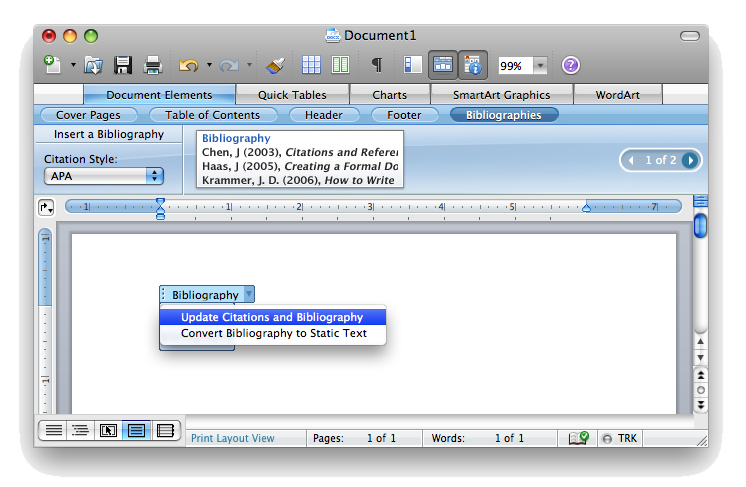
As your citations are compiled, you can insert a bibliography section in your document (below) using the Document Elements tooth from the Elements Gallery, and selecting between APA, Chicago, MLA, or Turabian style citations.
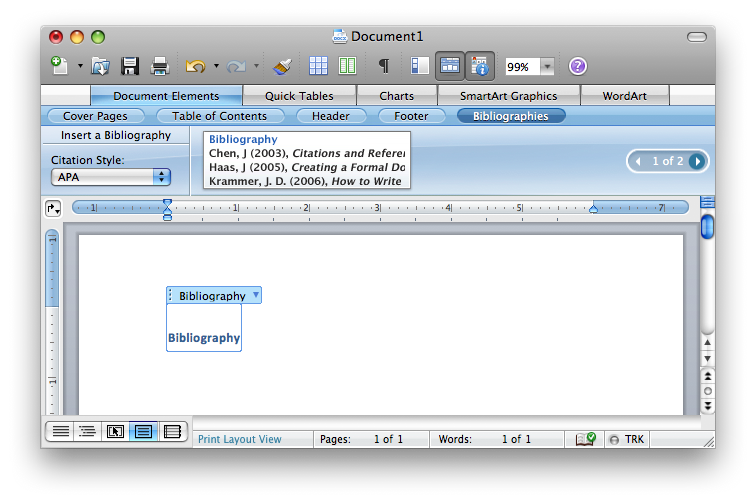
That section can then be updated using a popup menu (below). In order to save Word documents with bibliographies in earlier Word 97 - 2004 formats, bibliography data is flattened to static text. Once this happens, the citations can't be updated or changed. Pages doesn't support live bibilography data either.
Formatting and Theming Tools
The Formatting Palette itself has been revised, with some tools grouped by function in ways that make more sense. However, it's still a very long listing of settings, and navigating through the seven to nine different sections requires disclosing and hiding sections to reveal the tools you need at the moment. Fewer than half of the sections can be open at once unless you have a 30" display. Opening and closing sections keeps your targets cons in constant motion. As you select different objects in the document, the content sections of the palette also change.
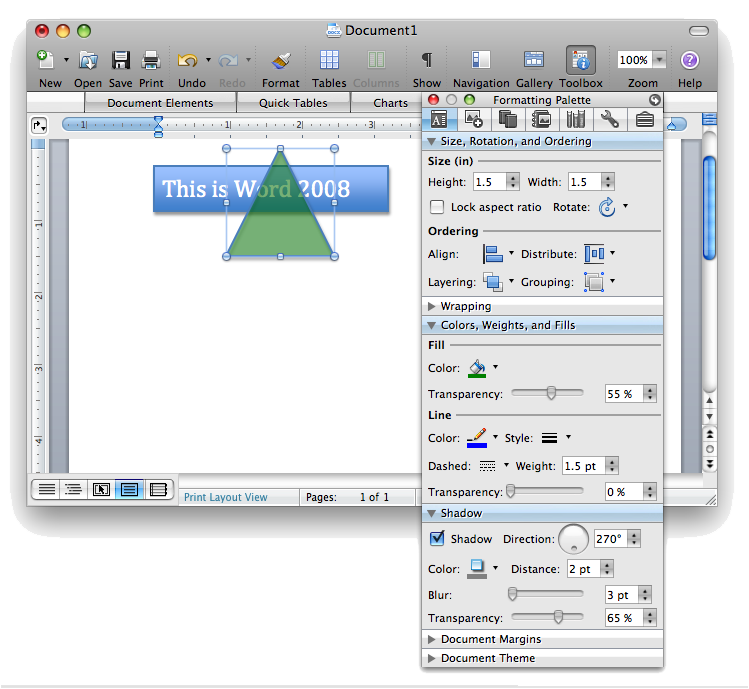
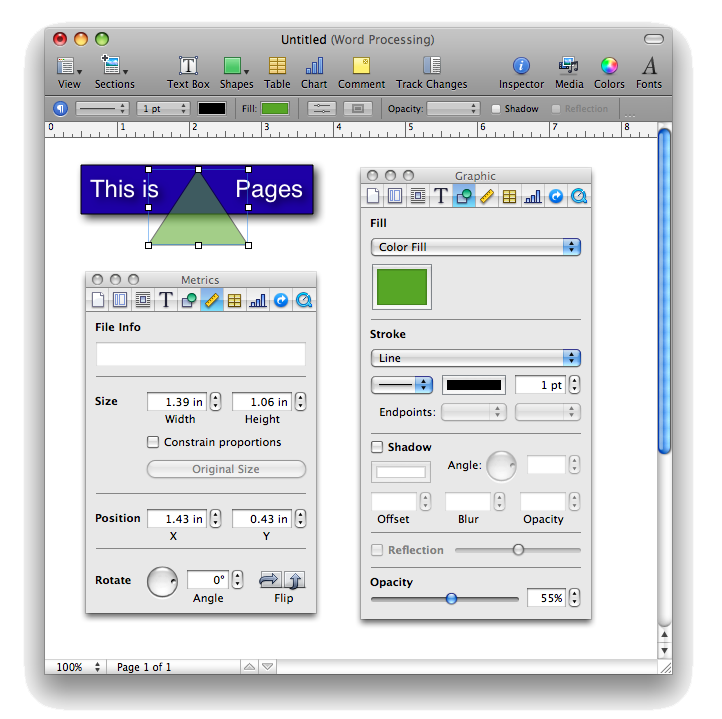
Unlike the iWork panels in Pages, you can't open multiple Formatting Palettes at once. In Pages, you can leave open the Graphics and Metrics panels on seperate Inspectors, and open the Fonts panel and the Media panel all at the same time. In Word, the equivalents are all hidden within the palettes of the same window, so only one set of settings can be visiable at once.
Word vs Pages
Word's classic strength as a popular Mac word processor has been significantly challenged by iWorks' Pages. The first version of Pages was generally oriented toward creating printed page documents. It lacked features expected of a dedicated word processor like Word, while also missing tools specific to page layout applications. The new Pages 08 released this fall improved things by offering two modes with tools individually targeted at both word and page composition.
Pages' page layout features come from Keynote, which quickly established itself as a gold standard in graphic composition tools on the Mac after its release in 2003. The tools provided in Pages are nearly identical, giving the app strong text and graphics layout and composition features. The word processing end of Pages is quite new, however. While clean, uncluttered, and easy to use, Pages lacks some of the features of Word.
Most significantly, while Pages can already open and use Word 2007 docx files from Windows users, it only does so indirectly through an import and export mechanism. This might work for users who only have occasional need to read Word documents, but is a hassle for users in an environment where they constantly trade files with other Word users. In other areas, Pages 08 has significantly improved upon its word processing features, and now offers Word-compatible change tracking, proofing tools, and automatic list formatting.
Outside of Word compatibility, Pages is stronger in its graphics and composition tools. It supports embedded PDFs at full quality, supports image masks and background extraction, presents live editing of objects using non-modal inspector panels, and fully uses Quartz Graphics to deliver advanced typography features and graphic effects. Pages also has an edge in offering more professional looking templates as a starting point for building documents.
Word 2004 is stronger in text editing and document features, with autosave support, drop caps and intelligent caps formatting (such as converting to all caps or title caps), WordArt features, split window document editing, support for footnotes, and mixed page layouts within a document (Word can embed an envelope into a letter document, for example). Word 2004 also suports Visual Basic for Applications macro scripting, commonly used to create forms and other automated documents in corporate settings.
Word 2008 adds bibliography features and improves upon the weak templates offered in previous version. It also catches up to Pages in support for docx files on the Mac, and since it uses the format natively, will offer an edge in convenience. It also seems likely that Word 2008 will provide better support for features in docx, including tables and, of course, bibliographies.
With the translation to Universal Binaries however, Word 2008 will no longer support VBA macros. It does provide support for Mac OS X's Automator however, which will be more valuable to most Mac users. Interested parties will have to shell out the full $300 for the version of Office that includes Automator Actions, however. Pages provides AppleScript support but does not include any prebuilt Automator Actions.
In terms of page layout, Word offers features similar to Microsoft Publisher but presented more attractively. Those features do not match its text editing features in strength or stability, and do not seem like they would be productively usable by even home users, let alone the corporate segment it is being marketed toward. While delivering dazzling screenshots, Office 2008 still has a long ways to go in how it works and feels in actual use.
Given the current status of the Word 2008 beta, it does not seem likely that Office 2008 will ship as a complete product in mid January, now just two months away, particularly given the usual holiday interruptions. However, the MacBU is accelerating its efforts, as it recongizes the threat posed by the $79 iWork. The cheapest version of Office 2008 has now been lowered to $150, a 50 percent discount over the basic version of the previous Office 2004 edition.
Both products should find keen interest among different kinds of users with different needs, and healthy compeition between them will be great for consumers. Improvements on both sides of the fence should continue to help push innovation and drive prices down.
Apple's iWork '08 suite, which includes Pages 3.0, is available from Amazon.com for $69.99, an 11 percent savings. Amazon is also offering instant savings on pre-orders of the various Office 2008 for Mac bundles.
Don't forget to check out our previous Road to Office 2008 installments:










 Malcolm Owen
 William Gallagher and Mike Wuerthele
 Christine McKee
 William Gallagher

 Marko Zivkovic