First Look: FileMaker's Bento personal database for Leopard
 Prince McLean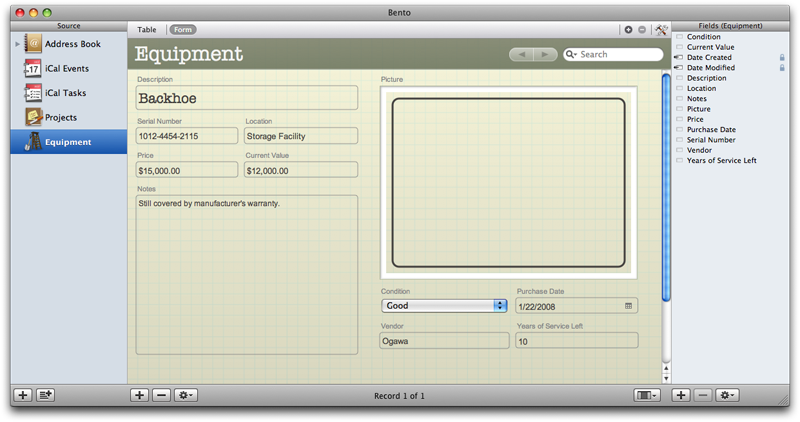
Named after the traditional Japanese lunchbox tray that organizes food into sections, Bento is designed to similarly act as a multipurpose application for organizing information, from contacts and calendars to projects and events. The company is presenting Bento as a way to organize activities "related to work, home, school and community."
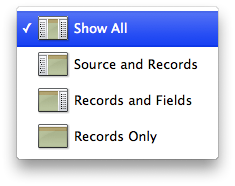
Bento's interface (below) is closer to that of the iLife applications. A Source list on the left provides a listing of Library databases and their subordinate Collections of Records. In the middle of the window is a Records table and Forms display. In a column on the right is a Fields list. Along the bottom are controls to add and remove items from each section, along with a view selection popup for customizing the display layout (below bottom).
This highly simplified interface makes database development approachable for even non-technical consumers. Bento's integration with Leopard also allows it to draw upon the shared pools of information behind Mac OS X's Address Book and iCal. When you open Bento, it uses this integration to display all your existing contact and calendar information. You don't have to reenter data, and information you add or change in Bento is reflected in other applications, including Mail, Address Book and iCal, as well as other Mac-specific applications that extend upon them, such as Marware's Project X.
Using your Existing Data
Bento can display your Address Book contacts, iCal Events, and iCal To Do Tasks as Libraries. Within a Library are Collections. For example, Bento displays any Address Book groups you've already defined as Collections within the Address Book Library. Individual items of a Libary, such as contacts, are presented as Records. This neatly maps the internal database behind Leopard apps in a format familiar to users of FileMaker's desktop database.
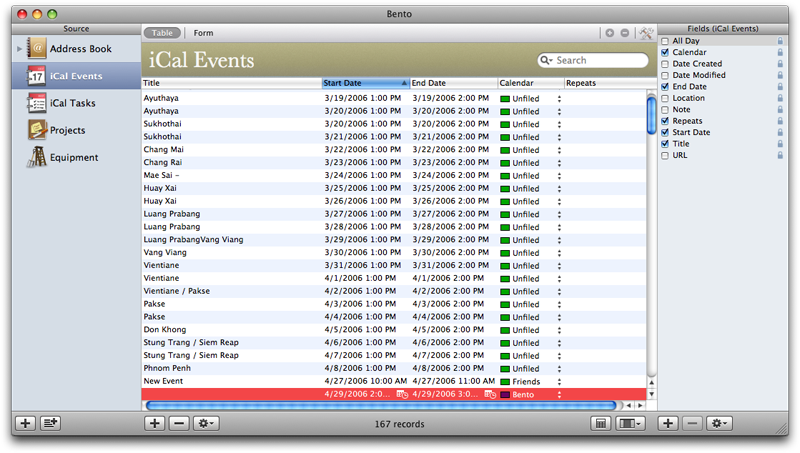
Bento presents your iCal Events and Tasks in a useful list view Apple didn't add to iCal itself. By selecting the iCal Events Collection, you can browse your calendar as a list of events, similar to the list view presented by the iPhone. Bento also
allows you to present your iCal events and to do reminders in a database Form view and similarly relate these events together with records in other Libraries.
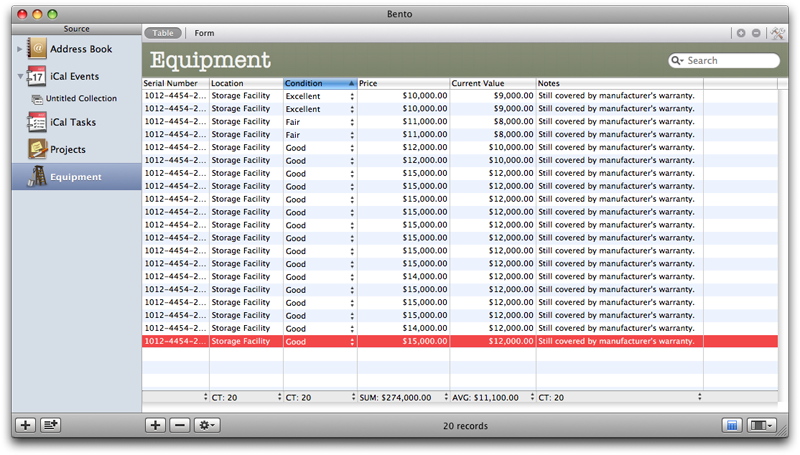
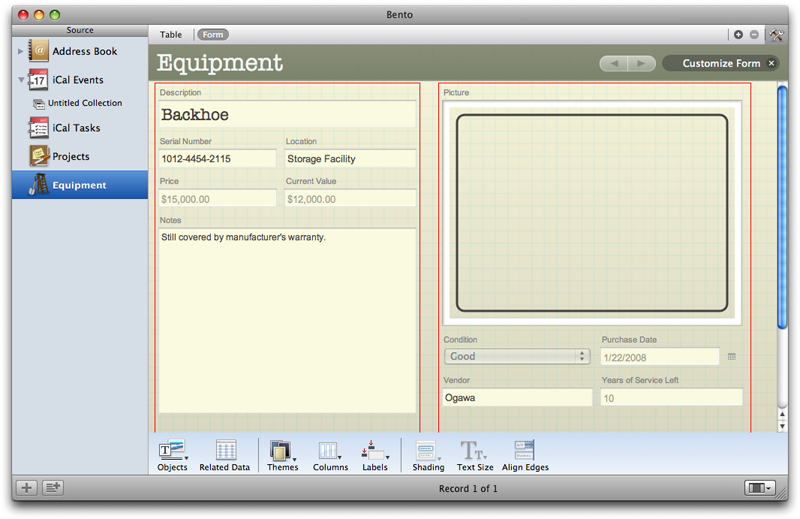
Each set of Records can be displayed as a Table column, with all entries presented in a spreadsheet-like listing (below), as well as a Form view (above), which displays Records in a customizable page display. Additional Forms can be added and customized, similar to other database products such as FileMaker Pro or Microsoft Access. The difference with Address Book and iCal Libraries in Bento is that you're not creating a new database file, but rather expanding upon the internal databases used by Leopard.
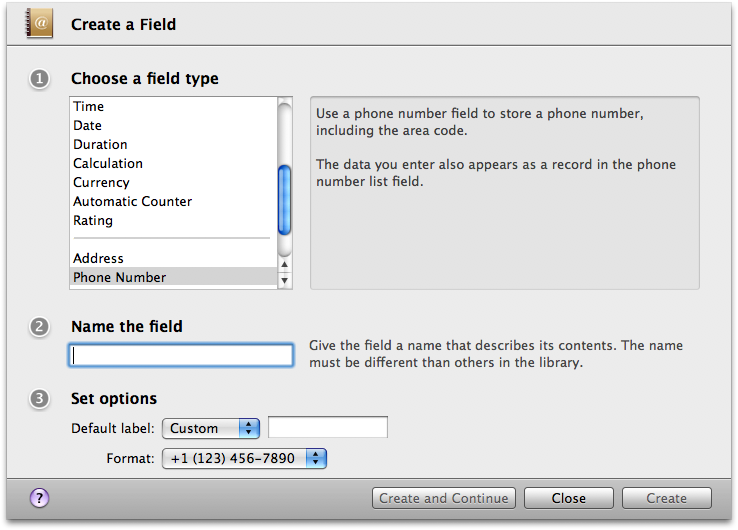
Bento makes this simple by presenting a series of Fields for your Form; in the case of an Address Book Library, that includes the existing contact name, address fields, phone numbers, notes, and other properties. You can then add new Fields just as you would using any desktop database: select a field type (such as text, number, media, time, data), and assign it a unique Field name (below). Depending on the type of Field you select, you are also given other options. You can also get fancy with relational Fields from other databases, calculated Fields, popup menu selection choices, and file listings that can be used to launch documents and open media files.
Once a Field is created, you can drag it into your Form to extend the records being stored in that Library's database. This works for both Address Book and iCal. Entries you add in Bento show up in those apps, and vice versa. This makes Bento a flexible way to build upon the foundation of Address Book to store more information than Apple intended. You can also relate new data to your existing records, and relate other information you track to your existing contacts and iCal events.
Bento's integration with Address Book and iCal also means your contact and event data can be kept in sync with .Mac and the iPhone, although Bento doesn't yet include any additional .Mac sync options for syncing new Libraries of data.
Adding New Libraries
You can also add new Libraries of data using a template-based design that looks very similar to Apple's iWork applications. A new Libary is essentially a new database table, along with a predesigned Form. You can either start with a blank slate, or choose from a variety of predefined starting point templates for managing files and digital media assets, inventory and equipment, time billing, tracking expenses, managing vehicle maintence records, organizing student and class listings, group memberships, customer lists, issue tracking records, and other common tasks.
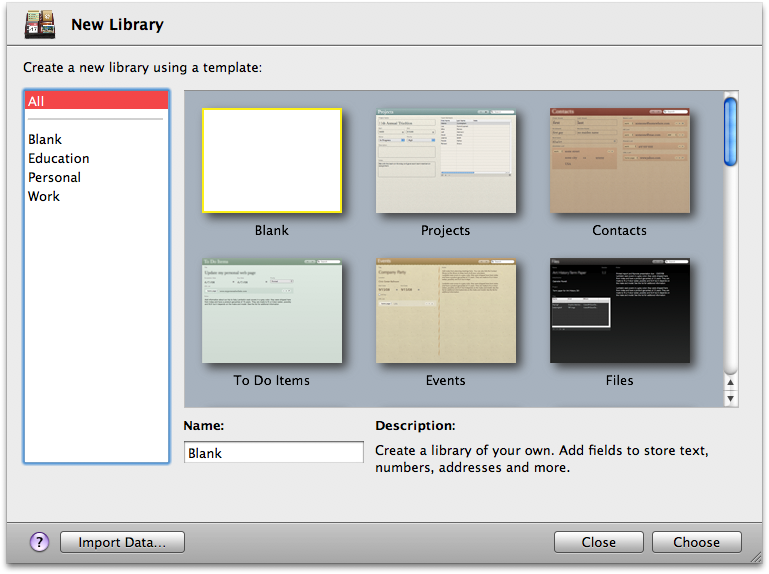
When you add a new Library, it appears in your Source list. It can then be extended with new Fields, and its Form can be edited as desired, or expanded upon using a series of special purpose Forms. Bento can import data from Excel, Numbers, or from any CSV file. Once imported, sorting and searching data is very similar to iTunes. Perform a search, and you can define the results to be a Collection, similar to a Smart Group playlist, album, or folder.
The Table View allows for easy sorting and quick stats in a Summary Row (below). Depending on the data type of a Field, you can count, sum, average, or pull out maximums or minimums from your Table list.
The Forms editor (below) offeres smart tools for laying out grouped columns and adusting label positions, text sizes, shading, and alignment. Fields can be simply dropped into place in the Forms editor. User selectable themes can impose an overall style that handles layout and color details.
Built For Leopard
In addition to integration with the new Calendar Store, Bento also builds upon other new features of Leopard, including use of the standard Picture Taker panel for adding, cropping and panning photos, and integration with Time Machine to backup and selectively restore individual items from Libraries.
FileMaker is offering a free time-limited preview of Bento at FileMaker.com.









 Stephen Silver
 Charles Martin
 Christine McKee
 Malcolm Owen
 Mike Wuerthele









38 Comments
It's about time there is a database app for the rest of us!
Can anyone confirm who has downloaded this, if it can export an entire database (Images included) to the web?
It's about time there is a database app for the rest of us!
Can anyone confirm who has downloaded this, if it can export an entire database (Images included) to the web?
The only option to export is to a .csv file.
I've registered to get the preview twice now and still no email with the download link...
I've registered to get the preview twice now and still no email with the download link...
Check your spam folder...
K
Check your spam folder...
K
I have... and I did a spotlight search for Bento and nothing.