Apple has significantly updated Dictionary 2.0 for Mac OS X 10.5 Leopard, expanding it from a simple word lookup into a complete multilingual reference tool. Here's a look at what's new in Dictionary.
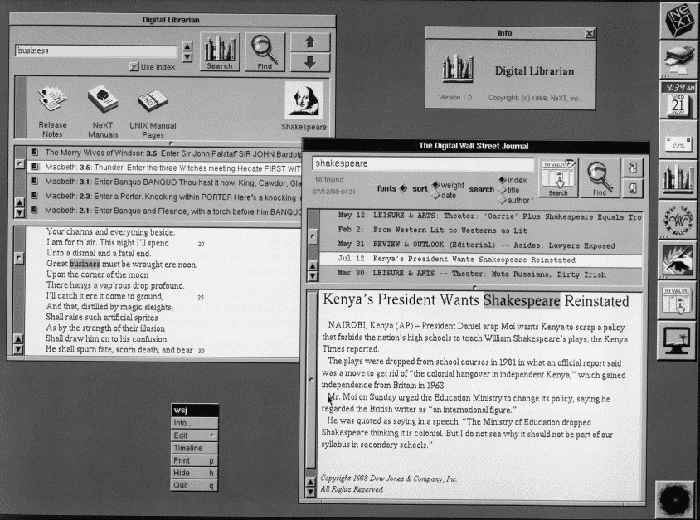
Over the last two decades, NeXTSTEP sparked the development of the World Wide Web at CERN, which brought similar hyperlinked information to more mainstream computers. The RoughlyDrafted article "Safari on Windows? Apple and the Origins of the Web" described how Apple's HyperCard and Tim Berners-Lee's WWW for NeXT computers built the foundations of the open web on the Internet.
In Mac OS X Tiger, Apple reintroduced Dictionary as a system wide service. Right click on a word, and the "Look up in Dictionary" contextual menu will open the Dictionary application and present the word's listing. Control+Apple+D can also be used to look up an entry for a selected word.
The Dictionary application can also search for words directly, either by entering whole words into the search bar or by just typing the first few letters. This makes it easy to look up a word's spelling when the built-in spell checking service can't suggest an alternative to the badly typed word which was entered. Tiger also offers a Dictionary widget for Dashboard. Both the widget and the full blown application draw from the New Oxford American Dictionary and the Oxford American Writer's Thesaurus.
New Features in Leopard
Leopard's Dictionary 2.0 adds a Digital Librarian-like function for adding new reference works. Apple includes a new dictionary of its own marketing terms, including Rosetta, Quartz, and Exposé, although it doesn't offer to define many terms outside of product names. It also doesn't offer anything for terms such as Carbon, Darwin, or Core Graphics. Perhaps Apple should throw in a developer dictionary that might be more useful than its definitions of Cover Flow and MacBook. The Apple Dictionary also includes some oddly outdated terms such as Open Transport and A/UX.
Also included in the new Dictionary are a set of Japanese references, including the Shogakukan Daijisen Japanese dictionary, the Japanese thesaurus Shogakukan Ruigo Reikai Jiten, and the Shogakukan Progressive English-Japanese Japanese-English Dictionary. These are off by default, but can be enabled in preferences.
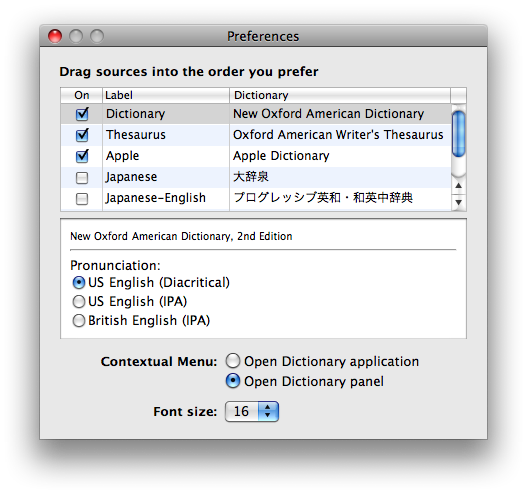
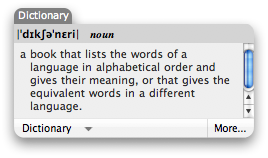
Preferences also allows users to set the English dictionary pronunciation guides to use common diacritical (?d???kritik?l) or the more formal IPA style (??da????kr?d?k?l), and to set the right click "Look up in Dictionary" function to launch the Dictionary app or to pop up a small contextual panel window (below). This feature is unchanged from Tiger.
Big in Japan
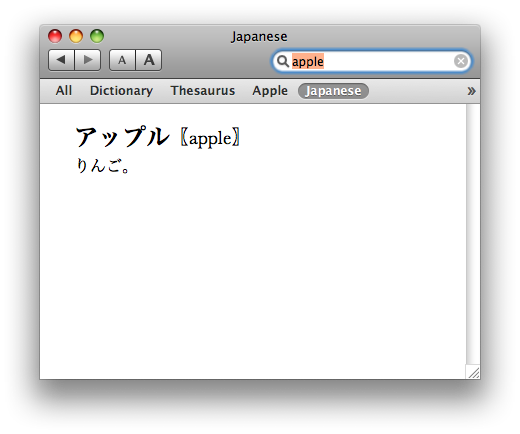
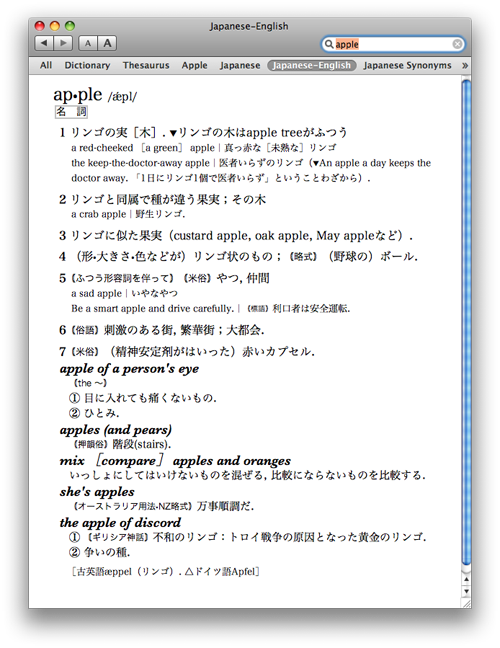
Once enabled, the new Japanese references appear in the Dictionary window bar. Results for a word can be isolated to a specific reference, or looked up in all enabled dictionaries at once. The Japanese dictionary gives a simple definition, while the Japanese-English dictionary provides translations for a variety of idiomatic expressions.
Wiki Wikipedia
Japanese isn't the only expansion of the Dictionary application. It also now offers to do an instantaneous online lookup of words and phrases using Wikipedia. Since Wikipedia can return results on articles in a variety of languages, the new Dictionary allows you to select which language results to view.
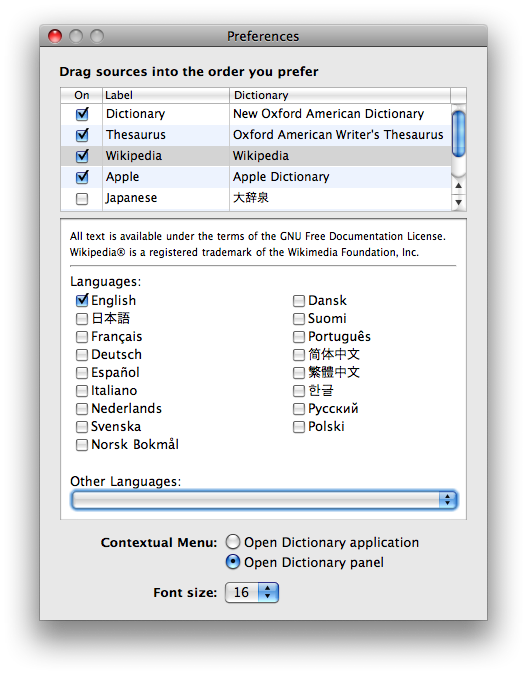
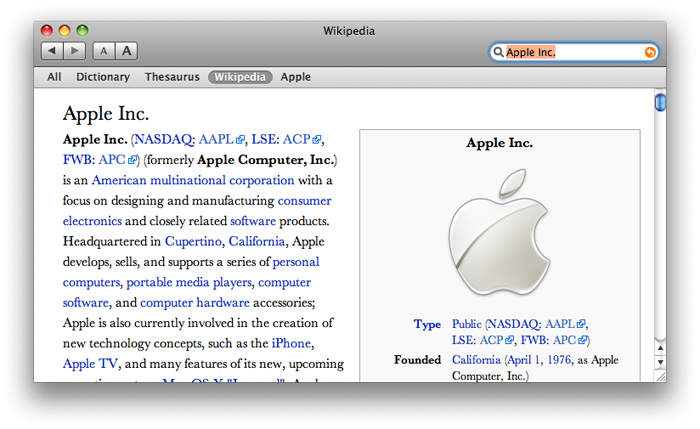
Linking the dictionary with Wikipedia is smart, because many technical terms and cultural references have extensive community-created articles that would never appear in a formal dictionary. Dictionary 2.0 displays the full text, graphics, and diagrams of Wikipedia articles, although it uses a serif font for all references. That means it doesn't look like the web version of Wikipedia, but rather like a more formal work.
The default 16 point text seems a little large for reading long articles in Wikipedia, but selecting a smaller font from the text size buttons of Dictionary's Toolbar nearly makes it too small. Since it uses a delicate font face (which appears to be Baskerville), it begins to look thin and washed out at smaller typefaces. The default font size can be set in preferences, but not the font face. That leaves Dictionary results looking distinctive and sophisticated, even if you'd personally rather camp up your Wikipedia with Comic Sans or Marker Felt.
Links Everywhere
While Wikipedia is rife with links already, Dictionary makes every word hyperlinked, as it does throughout the standard dictionary and thesaurus. That means any word that gets clicked upon pulls up its definition, synonyms, and a new Wikipedia article (if one exists). This makes Dictionary an excellent resource for quickly spelunking around the English language, or in Japanese, or wading through one of the many other languages in Wikipedia.
While individual dictionary files in Tiger were just a big blob of a file saved under Library/Dictionaries, Leopard organizes them into exposed folders of graphics, xml, and css that suggest it would be simple to develop and distribute new specialized glossaries and reference works in other languages for use in Dictionary.
Will Dictionary eventually incorporate product manuals and Unix man pages the way NeXT's Digital Librarian did? Will it open up the ability to tap into other online reference works in a manner similar to Wikipedia? There's certainly room for growth, but Leopard's Dictionary already delivers a lot of practical innovation in the rather sleepy corner of library reference works.
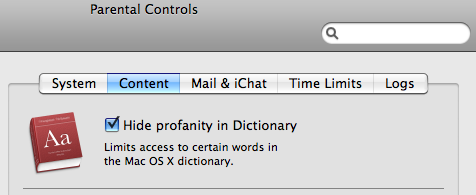
Parents might feel there's too much information available in Dictionary 2.0; the new Parental Controls feature in System Preferences allows you to block access to profanity, which includes "slang or colorful expletives." Dictionary's help pages note that "terms are identified as inappropriate by the publisher of a source."
Dictionary 2.0 gets in the last word for Mac OS X Leopard. So when will it make it to the iPhone?