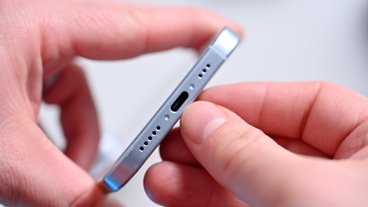
Apple offers iPhone "Finger Tips" video tutorial
 AppleInsider Staff
Apple on Friday continued its iPhone educational tutorial with a new video titled "Finger Tips." The video offers tips on silencing the iPhone's ringer, magnifying and editing text, setting passcodes and resetting the handset upon a crash.
Silence the ring
Forget to turn off your iPhone ringer before an important meeting? Press the sleep/wake button (on top) once to silence a call, or twice to send a call to voicemail. Alternatively, you can silence all sounds with the silent ringer switch (on left).
Delete a message
Want to delete e-mail and SMS messages from iPhone? Simply flick your finger from left to right across the message and tap 'Delete.' Tap anywhere other than the red 'Delete' button to cancel.
Create your favorites list
Favorites is a great way to speed dial. To create a list of your favorite numbers, tap the favorites button. Then tap the "+" button to add a new favorite from your contacts. You can tap 'Edit' to rearrange or remove favorites. Tap the blue arrow next to a name to see all the contact details for that person.
Assign a photo or ringtone
By assigning a photo or ringtone to one of your contacts, you can not only see who's calling, you can hear who's calling. Tap 'Edit' on a contact and then 'Add photo." You can either take a new photo with the iPhone's built-in 2-megapixel camera or add one from your photo album. To assign a ringtone, simply tap "Assign ringtone" and choose one you like.
More song controls
With iPhone you can touch your music. While a song is playing, tap the album art to see the onscreen controls, including shuffle, repeat, and the scrubber. Tap again to hide them. Tap the "List" button to see other songs on the album, then simply tap one of those songs to play.
Browse your music in cover flow
A great way to look at your music library is with CoverFlow, just like in iTunes. o use CoverFlow, rotate your iPhone 90 degrees and flick through your album art. Tap any album cover to see its track list, and any track to play. Tap outside the track list to flip back to the album artwork.
Magnify to edit text
Need to add something to a list or change an email? Simply touch and hold your finger over the text you want to edit to bring up the magnifying glass. Move your finger to position over the insertion point, and then type using the keyboard.
Mail preferences
There are several e-mail preferences you can adjust. Tap "Settings" then tap "Mail." To add an e-mail account, tap "Add Account..." You can have multiple e-mail accounts on iPhone at one time. iPhone can automatically check for new e-mail, so your mail is already downloaded and waiting for you. To set how often iPhone checks, tap "Auto check." Checking less frequently will improve your battery life.
You can also adjust how many recent messages are displayed, or how many lines of text are displayed in the e-mail preview. To increase or decrease the e-mail font size, tap "Minimum font size." There are also options to show the To/CC label or be prompted before deleting a mail. Additionally, you can also choose to always CC yourself on e-mails and customize an e-mail signature.
Set a passcode
You can protect your iPhone with a four-digit passcode. Tap "Settings" then tap "General" and then "Passcode Lock." Enter a four-digit code and verify. The passcode is now required whenever the iPhone is turned on or wakes from sleep. If needed, there is a button to make an emergency call that bypasses the passcode. If you ever forget your passcode, dock your iPhone to the computer activated it with to restore it.
Reset your iPhone
If an application isn't responding, press and hold the iPhone's physical "Home" button until Home screen appears — about six seconds. To reset your iPhone, press and hold the "Home" button and Sleep/Wake button for about 8 seconds, or until you see the Apple logo appear on the screen.









 Chip Loder
 Wesley Hilliard
 Malcolm Owen

 William Gallagher

 Christine McKee